LinkedIn Ads for Small Businesses: The Complete Guide

In this article
- Are LinkedIn ads worth it for a small business?
- How much do LinkedIn ads cost?
- How LinkedIn Campaign Manager is structured in 2026
- How to set up LinkedIn ads step by step
- Choosing the right objective
- LinkedIn targeting for small businesses
- Which LinkedIn ad formats work best on a small budget
- Offers and creative that earn attention from busy professionals
- Bidding: what to choose when you are starting out
- Lead Gen Forms or a landing page?
- How to measure LinkedIn ads properly
- LinkedIn ads by industry: what works
- Common LinkedIn ads mistakes we see in small business accounts
- A 30 day plan for your first LinkedIn campaign
- Getting help with LinkedIn ads
You finally decide to try LinkedIn. You boost a post or set up a quick campaign, spend a few hundred dollars and watch the numbers come in. Impressions look healthy. A few likes, a couple of comments. Then you open the list of people who engaged and your stomach drops: students, job seekers, a competitor's sales rep and nobody who could ever sign a contract with you. You start to wonder if LinkedIn ads are only for companies with enterprise budgets.
They are not. LinkedIn ads for small business owners can be the most precise way to put an offer in front of the exact people who buy what you sell: the operations manager at a 50 person logistics company, the practice owner, the HR director, the founder of a funded startup. But LinkedIn punishes guesswork faster than any other platform because every click costs more. To make it work you need the right fit, a tight audience, an offer worth a busy professional's time, clean tracking and a plan for what happens after someone raises their hand.
This guide walks through all of it in order, from the view of a performance marketer who builds and audits paid campaigns for US and Canadian businesses. It reflects how Campaign Manager looks in late 2026, including the recent naming changes. If you also run ads on Facebook and Instagram or Google, our Meta Ads for small businesses guide and Google Ads for small businesses guide are the companions to this one.
Are LinkedIn ads worth it for a small business?
LinkedIn ads are worth it when three things are true at the same time. First, your buyer is defined by their job, not just their interests: you can describe them by job function, seniority, industry or company size. Second, a customer is worth enough to absorb a higher cost per click and cost per lead than you would pay on Meta or Google. Third, you have a sales process that can turn a lead into revenue, even if that process is just you replying fast and booking a call.
If any of those is missing, LinkedIn tends to burn money. A local bakery or a $30 product rarely belongs here. A bookkeeping firm that serves construction companies, a SaaS tool for HR teams, a commercial cleaning company that wants office managers or a B2B consultant with a $10,000 engagement often does.
| Signal | Good fit for LinkedIn ads | Poor fit for LinkedIn ads |
|---|---|---|
| Who buys | A business or a professional buying for work | Consumers buying for themselves |
| How you describe the buyer | Job function, seniority, industry, company size | Age, hobbies, lifestyle |
| Value of one customer | High enough that a lead costing well above Meta or Google levels still pays off | Low order value with thin margins |
| Sales cycle | Considered purchase with a call, demo, quote or proposal | Impulse or same day purchase |
| Your offer | Something useful to a professional: an audit, a benchmark, a guide, a webinar | Discounts and flash sales |
| Follow up | Someone who can respond to leads within a day | No one assigned to leads |
A quick test we use with clients: write down your average first year customer value and your realistic close rate from a qualified lead. If you close one in five qualified leads and a customer is worth $8,000, a qualified lead is worth roughly $1,600 to you before costs. That leaves real room for LinkedIn pricing. If a customer is worth $300, it does not.
How much do LinkedIn ads cost?
LinkedIn runs an auction, so there is no fixed price per click or per lead. What you pay depends on how many advertisers want the same audience, how relevant your ad is and the objective you choose. On its budget best practices page, LinkedIn states that the minimum daily budget to start is $10 for any ad format and the minimum lifetime budget for a new campaign is $100. It also suggests a default of $25 a day for new advertisers.
Minimums are not the same as a useful test budget. Because clicks on LinkedIn usually cost far more than on Meta, $10 a day often buys only a handful of clicks, which is not enough data to learn anything in a month. For most small businesses we recommend planning a first test of at least $1,500 to $3,000 over 30 to 45 days on one focused audience and one offer, then deciding based on lead quality, not just cost per lead.
How to set a budget you can justify
- Start from the value of a qualified lead (customer value multiplied by close rate, as above).
- Decide the maximum you would pay for a qualified lead and still be happy. Many service businesses set this at a quarter to a third of the lead value.
- Estimate how many qualified leads you need in the test to judge it. Ten is a sensible minimum.
- Multiply: target cost per qualified lead times the number of leads gives your test budget. If that number feels impossible, LinkedIn may not be the right first channel, or you need a narrower, higher value audience.
How LinkedIn Campaign Manager is structured in 2026
If you read older tutorials, the names will confuse you. LinkedIn announced in late 2025 that it was renaming levels in Campaign Manager to match other ad platforms, as reported by Social Media Today. The rollout has been gradual, so you may still see the old labels in some help pages and reports.
| Old name | New name | What you set at this level |
|---|---|---|
| Ad account | Ad account | Billing, users, Insight Tag, conversions, audiences |
| Campaign group | Campaign | Overall budget and schedule, grouping by goal |
| Campaign | Ad set | Objective, audience, placements, budget, bidding |
| Ad (creative) | Ad | Image, video or document, copy, headline, call to action |
The practical rule: keep one objective and one audience per ad set, so your reports tell you clearly what worked.
How to set up LinkedIn ads step by step
Setup takes an afternoon if you do it in this order. Skipping the tracking steps is the most common reason we see small business accounts unable to tell whether LinkedIn worked.
- Clean up your Company Page. Every ad runs from a Page. Add a clear logo, a one line description of who you help and a website link. Prospects click through to check you are real.
- Create your ad account in Campaign Manager. Use your business currency (USD or CAD), add a payment method and add a second admin so you are never locked out.
- Install the LinkedIn Insight Tag on your website. LinkedIn describes it as a free, lightweight piece of JavaScript that captures page visits and clicks. You can add it directly or through Google Tag Manager. It powers conversion tracking, website retargeting and the demographic reports.
- Set up the Conversions API if you can. LinkedIn's conversion tracking page notes that tag based tracking relies on cookies and recommends using the Insight Tag and Conversions API together to reduce lost signals. Many small businesses can connect it through partners like Google Tag Manager, HubSpot or Zapier without a developer.
- Create conversions. At minimum: form submitted, booked call and, if you have them, key page views like your pricing page. Mark your primary conversion clearly so you optimize for it.
- Build matched audiences early. Website visitors (from the Insight Tag), a contact list of past leads and customers to exclude and, for account based campaigns, a company list of target accounts. Audiences take time to populate, so start them before you launch.
- Create one campaign and one ad set for your first test, with three to four ads. More structure than that splits a small budget too thin.
Choosing the right objective
Your objective tells LinkedIn who to show the ad to and what you pay for. Pick the one that matches the action you need, not the one that sounds cheapest.
| Objective | When a small business should use it | What LinkedIn optimizes for |
|---|---|---|
| Brand awareness | Warming up a narrow account list before outreach or a launch | Reach and impressions |
| Website visits | Driving traffic to a strong article or tool page to build a retargeting pool | Landing page clicks |
| Engagement | Growing your Page or getting reactions on Thought Leader content | Engagement and follows |
| Video views | Building a video viewer audience to retarget with an offer | Video views |
| Lead generation | Collecting leads with a Lead Gen Form right inside LinkedIn | Leads from forms |
| Website conversions | Sending people to your own page to book, buy or sign up | Tracked conversions on your site |
For most first campaigns we start with Lead generation using a Lead Gen Form, because forms pre filled with profile data remove friction on mobile and give the algorithm conversion data faster. Website conversions works well once your Insight Tag is recording enough conversions and your landing page converts.
LinkedIn targeting for small businesses
Targeting is where small businesses win or lose on LinkedIn. You are paying a premium for professional data, so use it precisely.
Start with job function and seniority, not long title lists
Job titles are inconsistent. One company's "Head of People" is another's "HR Manager". Targeting by job function (for example Human Resources) plus seniority (for example Manager, Director, Owner) is usually more complete and easier to scale. Use job titles when the role is very specific, such as "Controller" or "Practice Manager", and check the audience size estimate after each change.
Layer company attributes
Add company size and industry to keep the audience on businesses that can buy. A payroll consultant might target HR and Finance functions, Manager and above, at companies with 11 to 200 employees, in construction and manufacturing, in the US and Canada.
Use company lists for account based campaigns
If you know the 300 companies you want, upload them as a company list and combine them with job function or seniority. This is one of the few places small businesses can run real account based marketing without enterprise software.
Exclude aggressively
Exclude your current customers, your own employees, competitors where you know them, students and entry level seniority unless they are your buyer. Exclusions often improve lead quality more than any creative change.
Check the size and the default settings
LinkedIn's audience page states that the minimum audience size to run a campaign is 300 members and recommends 50,000 or more for single image ads and over 15,000 for message ads. Very small audiences get expensive and fatigue quickly. Before launch, check two settings in every ad set: whether Audience Expansion is on (it can reach people similar to your targeting, which may dilute a tight B2B audience) and whether the LinkedIn Audience Network is selected as a placement (it shows ads on partner apps and sites outside LinkedIn). Neither is wrong, but you should turn them on deliberately and judge them by lead quality.
Which LinkedIn ad formats work best on a small budget
| Format | What it looks like | Best use for a small business |
|---|---|---|
| Single image ad | A post in the feed with an image and headline | Simplest test of an offer and audience |
| Document ad | A PDF or carousel people can read in the feed, optionally gated by a Lead Gen Form | Guides, checklists, benchmarks and case studies |
| Video ad | A native video in the feed | Explaining a service, founder intros, retargeting pools |
| Thought Leader Ad | A sponsored post from a real person's profile rather than the Company Page | Founder led businesses and consultants |
| Conversation or Message ad | A sponsored message in LinkedIn inbox | Event and webinar invites to warm audiences |
| Text ad | A small desktop ad on the right rail | Cheap retargeting and awareness, limited volume |
| Event ad | Promotes a LinkedIn Event | Webinars and live sessions |
Thought Leader Ads deserve special attention for small businesses. In 2024 LinkedIn expanded them so brands can sponsor posts from members, with the member's approval, as covered by MarTech. A post from the founder that already performed well organically often earns more attention than a polished brand ad, because it looks and reads like the rest of the feed.
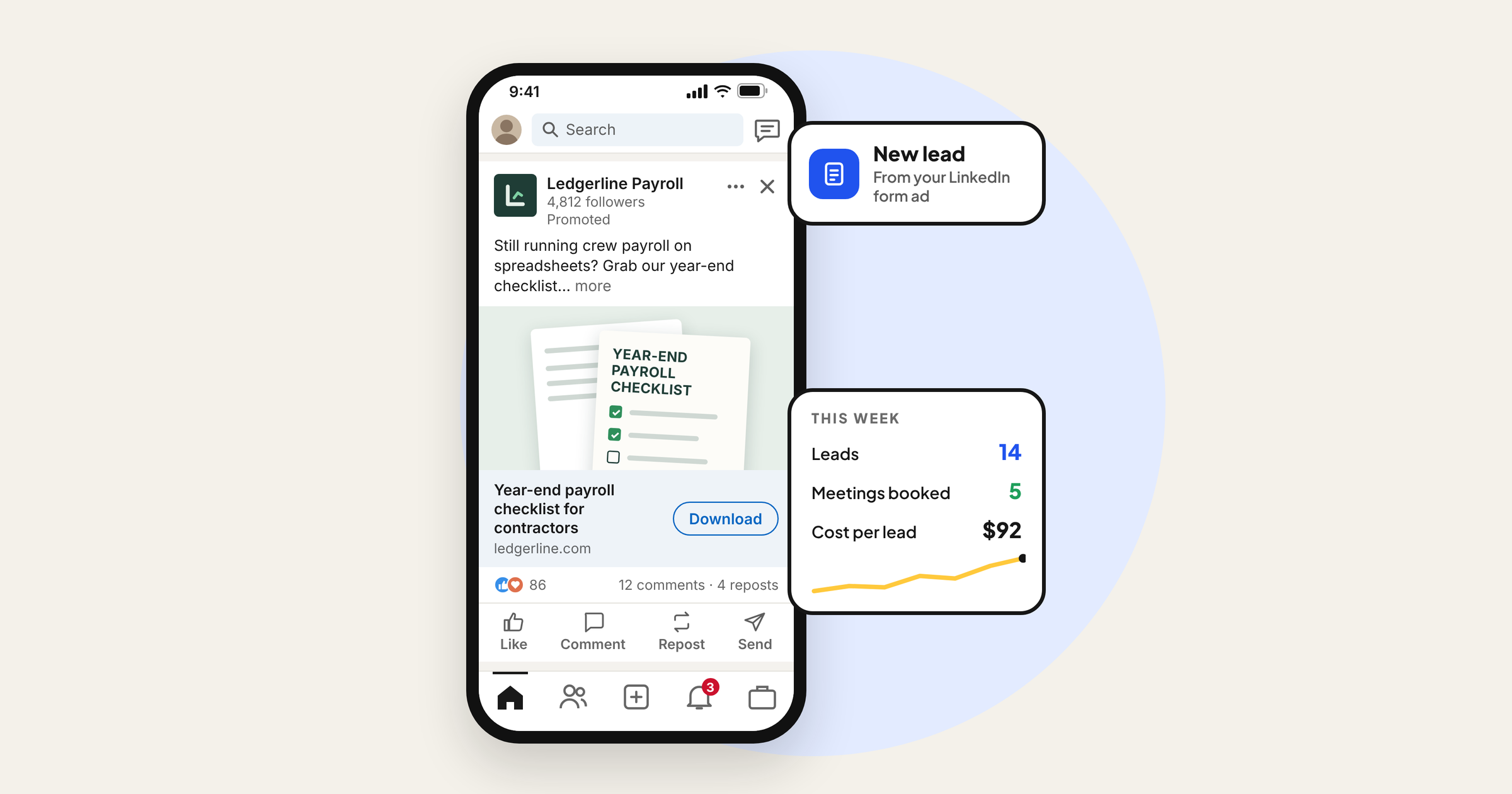
Document ads are our other favourite. A practical two to eight page PDF, such as "The year end payroll checklist for construction companies", gives value in the feed and can be gated with a Lead Gen Form so readers unlock the full version.
Offers and creative that earn attention from busy professionals
The biggest mistake we see is running "Book a demo" or "Contact us" to cold audiences. Professionals scrolling LinkedIn are not ready to take a sales call from a company they have never heard of. Lead with something useful, then sell.
Offers that work for cold audiences
- A checklist, template or calculator that solves one specific problem.
- A short benchmark or report with data you have collected yourself.
- A free audit or teardown with a clear scope, for example "a 20 minute review of your Google Ads account".
- A live or recorded webinar with a practical outcome.
- A real case study, written with your client's permission.
Writing the ad
- Call out the audience in the first line so the right person stops: "Running HR for a 50 person company on spreadsheets?"
- Name the problem in their words, not yours.
- Offer the specific fix or resource, including what they get and how long it takes.
- Keep the headline short and concrete, and match the call to action button to the action (Download, Register, Request demo).
- Use creative that is clearly about the problem: a screenshot of the checklist, a chart, a face of the person who will help them. Stock photos of handshakes get ignored.
Run three to four ads per ad set so LinkedIn can find a winner, and refresh creative when frequency rises and click through rate drops. LinkedIn has been adding AI copy and creative tools to Campaign Manager, which can speed up variations, but always edit the output so it sounds like you and makes accurate claims.
Bidding: what to choose when you are starting out
LinkedIn offers automated and manual bidding options. In plain terms, maximum delivery lets LinkedIn spend your budget to get as many results as possible, cost cap lets you set a ceiling on the average cost per result and manual bidding lets you set the maximum bid yourself.
For a first test we usually start with maximum delivery to learn what results really cost for your audience. Once you have a baseline, a cost cap can protect you from paying far too much per lead, at the risk of lower volume. Manual bidding suits experienced advertisers who watch the account daily. Whatever you choose, use lifetime budgets with a clear end date for tests, which LinkedIn also recommends, so spend is paced and you get a clean read.
Lead Gen Forms or a landing page?
| Question | LinkedIn Lead Gen Form | Your own landing page |
|---|---|---|
| Friction | Very low, fields pre filled from the profile | Higher, people type and load a new page |
| Lead volume | Usually higher | Usually lower |
| Lead quality | Can be lower without qualifying questions | Often higher intent |
| Tracking | Built in, no website needed | Needs Insight Tag and conversion setup |
| Best for | Content offers, webinars, first tests | Demos, quotes, pricing heavy offers |
If you use Lead Gen Forms, three settings protect quality. Add one or two custom qualifying questions, such as company size or timeline. Keep the form short otherwise. And connect the form to your CRM or email tool through a native integration or Zapier, so leads do not sit unread in Campaign Manager. Speed matters: a professional who downloaded your guide this morning remembers you today, not next week.
How to measure LinkedIn ads properly
LinkedIn reports clicks and leads. Your business runs on meetings and revenue. Track both levels.
What to check in Campaign Manager
- Click through rate. Low CTR on a precise audience usually means the offer or first line is not landing.
- Cost per lead and cost per conversion, by ad and by ad set.
- Lead form completion rate (opens versus submissions). A big drop means the form is too long or the offer is unclear.
- Demographics. The demographics report shows the job functions, seniorities, industries and companies of people who saw and clicked. This is how you catch wasted spend on the wrong roles.
- Frequency. If the same people see your ad too often, results fade.
What to track outside LinkedIn
- Lead to meeting rate and meeting to customer rate, in a simple sheet or your CRM.
- Cost per qualified lead and cost per customer, not just cost per lead.
- Revenue from LinkedIn sourced customers over three to six months, because B2B deals take time.
If your CRM allows it, send qualified leads and closed deals back to LinkedIn as offline conversions. That teaches the system what a good lead looks like for you.
LinkedIn ads by industry: what works
| Industry | Who to target | Offer that tends to work |
|---|---|---|
| B2B and professional services (accounting, legal, consulting) | Owners and finance or operations leaders at companies in your niche | Checklist, short guide or a scoped free review |
| SaaS and software | The job function that feels the pain, plus a separate decision maker audience | Template, product tour video, free trial for warm audiences |
| Coaching, courses and education | Professionals by function and seniority who want to grow | Webinar or free lesson, then retarget with the paid program |
| Commercial services (cleaning, IT support, facilities) | Office, facilities and operations managers at local companies by size | Quote request with a clear price range, local proof |
| Recruitment and staffing | HR and hiring managers in your sector | Salary or hiring market report for their region |
| Commercial real estate | Owners and executives at growing companies in your city | Market update report or space planning guide |
Notice the pattern: one clear role, one real problem, one useful offer. If you serve several industries, build separate ad sets with copy written for each one rather than one generic ad.
Common LinkedIn ads mistakes we see in small business accounts
- Running "Book a demo" to a cold audience and judging LinkedIn a failure after two weeks.
- Targeting by dozens of job titles and missing most of the real buyers, or targeting a whole industry with no seniority filter.
- Leaving Audience Expansion and the Audience Network on without checking where leads come from.
- No Insight Tag or conversions set up, so nobody knows which ads produced meetings.
- One ad per ad set, so there is nothing to compare.
- Spreading $1,000 across five audiences and three objectives. Small budgets need focus.
- Lead Gen Form leads exported once a week, by which time the prospect has forgotten the download.
- Judging on cost per lead alone instead of cost per qualified lead and pipeline created.
A 30 day plan for your first LinkedIn campaign
- Days 1 to 3: Tidy your Company Page, create the ad account, install the Insight Tag, set up conversions and upload exclusion lists.
- Days 4 to 7: Choose one audience (function plus seniority plus company size plus location) and one offer. Write three to four ads and a short Lead Gen Form with one qualifying question. Connect the form to your CRM.
- Days 8 to 21: Launch with maximum delivery and a lifetime budget. Do not change targeting for the first week. Check the demographics report and lead quality twice a week, and call every lead within a day.
- Days 22 to 30: Pause the weakest ads, add one new variation of the winner, start a retargeting ad set for engaged users with a stronger offer (a call or demo) and calculate your cost per qualified lead.
After 30 days you will know whether your audience responds and what a qualified lead really costs. That is the number you need to decide whether to scale, change the offer or move the budget to another channel.
Getting help with LinkedIn ads
LinkedIn rewards businesses that understand their buyer deeply: what keeps them up at night, what they need to see before they trust you and how they decide. That is the part we spend the most time on at Digilabss before we spend a single dollar. We look at your customers, your offer and your sales process first, then build the audience, creative and tracking around them. You can read more about our LinkedIn ads service, or if you would like a second pair of eyes on an existing account or a plan for your first campaign, request a free audit and we will tell you honestly whether LinkedIn is the right channel for you right now.
Frequently asked questions
What is the minimum budget for LinkedIn ads?
LinkedIn states the minimum daily budget is $10 for any ad format and the minimum lifetime budget for a new campaign is $100. Those minimums rarely buy enough clicks to learn much, so most small businesses should plan a focused first test of roughly $1,500 to $3,000 over 30 to 45 days on one audience and one offer.
Are LinkedIn ads better than Facebook ads for B2B?
LinkedIn usually costs more per click and per lead, but it lets you target by job function, seniority, company size and company name, which Meta cannot do reliably. For high value B2B offers, LinkedIn leads are often better qualified. Many businesses use LinkedIn to reach the right people and Meta to retarget them more cheaply.
How long does it take to see results from LinkedIn ads?
You will see clicks and leads within days, but judge a test after 30 to 45 days and enough leads to compare. For B2B services with longer sales cycles, track meetings and closed deals over three to six months before deciding whether LinkedIn pays off.
Can I run LinkedIn ads without a website?
Yes. You need a LinkedIn Company Page and an ad account, and you can collect leads with LinkedIn Lead Gen Forms that open inside LinkedIn. A website still helps people check you are credible and lets you use website retargeting and conversion tracking.
What is the difference between a campaign and an ad set on LinkedIn?
LinkedIn renamed its Campaign Manager levels starting in late 2025. What used to be called a campaign group is now a campaign, and what used to be a campaign is now an ad set. The ad set is where you choose the objective, audience, bidding and budget.
Do LinkedIn ads work for local businesses?
They can for local businesses that sell to other businesses, such as commercial cleaning, IT support, accounting or office fit outs, because you can target companies and roles in your area. They are usually a poor fit for consumer businesses like restaurants or salons, where Meta and Google are cheaper and better suited.