Why Your Meta Ads Get Clicks But No Sales (And How to Fix It)
In this article
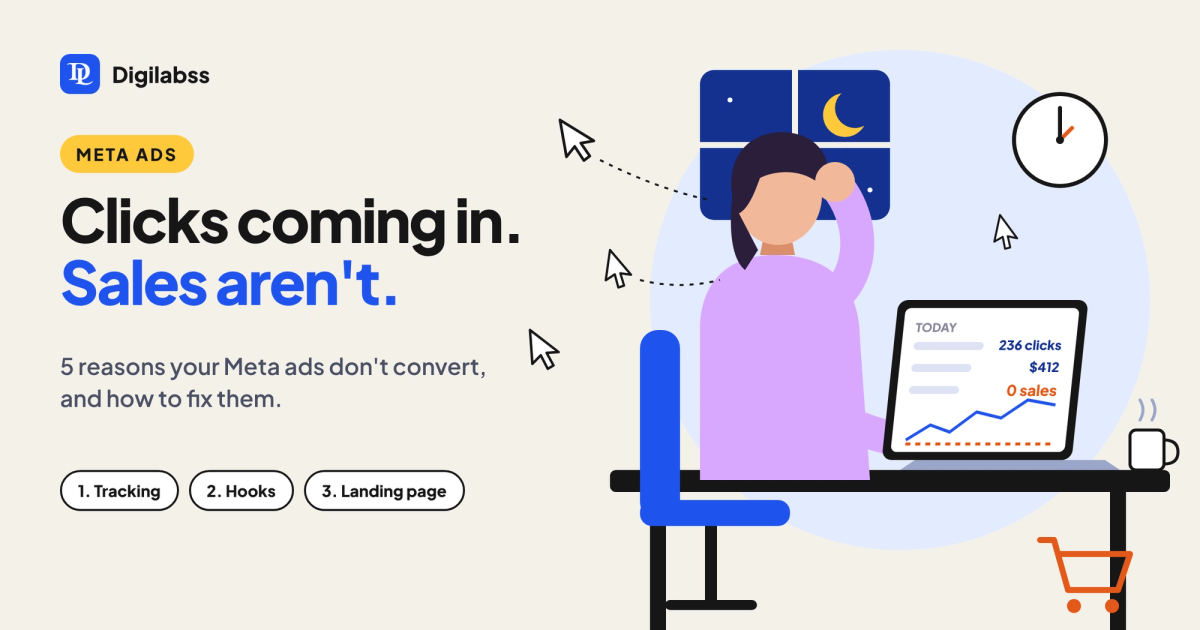
It is 1 am. You open Ads Manager one more time. The spend is going up, the clicks are coming in, and the purchases column still says zero. If that sounds familiar, you are not alone, and the problem is usually not the budget.
When Meta ads get clicks but no sales, something is breaking between the ad and the checkout. This guide walks through the most common reasons and what to fix first.
Why your Meta ads get clicks but no sales
A click only proves that your ad caught attention. A sale needs the right person, the right promise and a page that keeps that promise. When any one of those breaks, you pay for traffic that never buys.
1. Your ad attracts curious people, not buyers
Ads built only to stop the scroll often pull in people who like the content but were never going to buy. Bright visuals and clickbait hooks raise your click-through rate while lowering intent. If your CTR looks great and your conversion rate looks terrible, this is often why.
2. Your ad sells the product, not the problem
Most ads list features: ingredients, specs, discounts. People do not buy features. They buy a fix for something that bothers them. An ad that names the customer's real frustration in their own words attracts people who actually feel that frustration, and those people are far more likely to buy.
3. The landing page breaks the promise
If the ad talks about one thing and the page opens on something else, people leave. Slow pages, pop-ups that cover the product, unclear pricing and long forms all kill sales quietly. The page should feel like the next sentence of the ad.
4. Tracking is broken, so Meta optimises for the wrong people
If your Pixel and Conversions API are not set up properly, Meta cannot see who buys. It then optimises for cheap clicks instead of purchases. Many accounts that "do not convert" are actually converting, but the data never reaches Meta, so the algorithm learns the wrong thing.
5. Your creative is tired
An ad that worked last month can stop working this month without anything changing. When the same people see the same ad again and again, they stop noticing it. Rising frequency with falling results is the warning sign.
How to fix Meta ads that are not converting
Work through these in order. The first two fix the most accounts.
- Check your tracking first. Confirm the Pixel and Conversions API both fire on purchase, and that the purchase value is passed. Without this, every other fix is guesswork.
- Rewrite the hook around the customer's pain. Open with the moment your customer feels the problem, not with your product name.
- Match the landing page to the ad. Same headline idea, same offer, same visual, in the first screen.
- Optimise for the right event. Use the Purchase or Lead event, not Link Clicks or Landing Page Views, once you have enough conversion data.
- Test new creative angles every two to three weeks. Keep the winners, retire the tired ads before they drag the account down.
- Retarget people who almost bought. Add-to-cart and checkout visitors are your warmest audience. A simple reminder ad often recovers sales you already paid for.
Clicks vs conversions: what to watch
Use this quick guide to find where your funnel is leaking.
| Symptom | What it usually means | First fix |
|---|---|---|
| High CTR, low sales | Ad attracts curious clickers | Rewrite hook around the customer's pain |
| Clicks but high bounce | Landing page does not match the ad | Mirror the ad's message on the first screen |
| Add to carts, no purchases | Checkout friction or price surprise | Simplify checkout, show costs early, retarget |
| Sales in Shopify, none in Meta | Tracking is broken | Fix Pixel and Conversions API |
| Results falling, frequency rising | Creative fatigue | Launch new creative angles |
The real fix: understand the customer before the ad
The brands that win on Meta are not the ones with the biggest budget. They are the ones that understand what their customer feels right before they buy. When your ad describes that moment better than anyone else, the right people click, and they keep going all the way to checkout.
At Digilabss, every campaign starts there: understanding the brand, the audience and the emotion behind the purchase, then building creatives and tracking around it. If your ads are getting clicks but not sales, book a free ad account audit and we will show you exactly where the funnel is leaking.
Frequently asked questions
Why am I getting clicks but no sales on Facebook ads?
Usually the ad attracts curious people rather than buyers, the landing page does not match the ad, or tracking is broken so Meta optimises for clicks instead of purchases.
How long should I wait before judging a Meta ad?
Give a new ad enough time and budget to exit the learning phase, roughly 50 conversion events, before deciding. Judging after one or two days often leads to the wrong call.
Should I optimise my campaign for link clicks or purchases?
Optimise for purchases or leads whenever you have enough conversion data. Optimising for clicks tells Meta to find people who click, not people who buy.
How often should I refresh my ad creatives?
Test new angles every two to three weeks and watch frequency. When frequency rises and results fall, the creative is tired.