SEO for Small Business Websites: The Complete Guide

In this article
- What SEO means for a small business in 2026
- Step 1: Set up the tools that tell you the truth
- Step 2: Keyword research that finds buyers, not just traffic
- Step 3: Build a site structure Google and buyers can follow
- Step 4: On-page SEO for small business websites
- Step 5: Technical SEO basics you cannot skip
- Step 6: Local SEO and your Google Business Profile
- Step 7: Content that earns rankings and AI mentions
- Step 8: Links and mentions without spam
- AI Overviews and AI Mode: what really changes
- How to measure SEO progress each month
- Common SEO mistakes we see on small business websites
- A 90 day SEO plan for a small business
- Want a second pair of eyes on your SEO?
You type your own service into Google on your phone, the way a customer would. A competitor you know is not better than you sits right at the top. Another one shows up in the map. You scroll, then scroll some more, and your website is nowhere. You paid good money for that site. It looks great. It just doesn't seem to exist.
That feeling is the reason this guide exists. SEO for small business websites comes down to three jobs: make it easy for Google to find and understand every important page, prove that you are a real, trustworthy business, and publish pages that answer your buyers' questions better than anyone else in your market. You do not need a huge budget or a technical team. You need the right order of work and the patience to keep going for a few months.
This is the same process we use at Digilabss when a US or Canadian small business asks why their site gets no traffic. It is current for late 2026, which matters: Google rolled out core updates in March, May and November 2026 (the November update started on November 10), and Search Console added reports that show how often your pages appear in AI Overviews and AI Mode. We will cover what those changes actually mean for you, without the hype.
What SEO means for a small business in 2026
When someone searches on Google today, your business can appear in three places, and SEO covers all of them:
- Organic results. The classic blue links. Your service pages, product pages and articles compete here.
- The local map results. Driven mostly by your Google Business Profile. For plumbers, dentists, salons, restaurants and realtors, this is often where most calls come from.
- AI Overviews and AI Mode. Google's AI answers, which cite and link to web pages. Google says pages only need to be indexed and eligible to show with a snippet to be used there.
Google does not let anyone pay for organic or local rankings. That is the good news for small businesses: a focused, honest 10 page website can outrank a national brand for a specific local or niche search, because Google is trying to show the most relevant and helpful answer, not the biggest company.
SEO vs paid ads: which one first?
Owners often ask us to choose. In most cases you should not. Ads bring buyers now, SEO builds an asset that keeps working. If you need leads this month, start with our Google Ads for small businesses guide and build SEO alongside it. Your paid search data will also tell you which keywords actually turn into customers, which makes your SEO choices far smarter.
| SEO | Google Ads | |
|---|---|---|
| Time to first results | Usually 2 to 6 months, longer for competitive terms | Same day once approved |
| Cost model | Time and content; no cost per click | You pay for every click or lead |
| When you stop | Rankings fade slowly over months | Traffic stops immediately |
| Best for | Long-term lead flow, trust, research-stage buyers | Urgent demand, testing offers, new launches |
| Biggest risk | Giving up before it compounds | Spending on clicks that never convert |
Step 1: Set up the tools that tell you the truth
Before changing a single word on your site, set up measurement. When we audit small business websites, the most common finding is not a ranking problem. It is that nobody can see what Google is doing with the site at all.
- Google Search Console. Add your site as a Domain property (verified through a DNS record at your domain registrar) so it covers http, https, www and non-www versions together. This is free and it is the only place Google tells you which searches show your pages.
- Submit your XML sitemap. Most platforms (WordPress with an SEO plugin, Shopify, Squarespace, Wix, Webflow) create one automatically, often at /sitemap.xml. Submit it under Indexing, then Sitemaps.
- Google Analytics 4 with key events. Track the actions that mean money: form submissions, calls from the site, bookings, purchases. Without this you will celebrate traffic that never becomes revenue.
- Google Business Profile. If you serve customers in a specific area, claim and verify it now. Verification can take days, so start early.
What to check first in Search Console
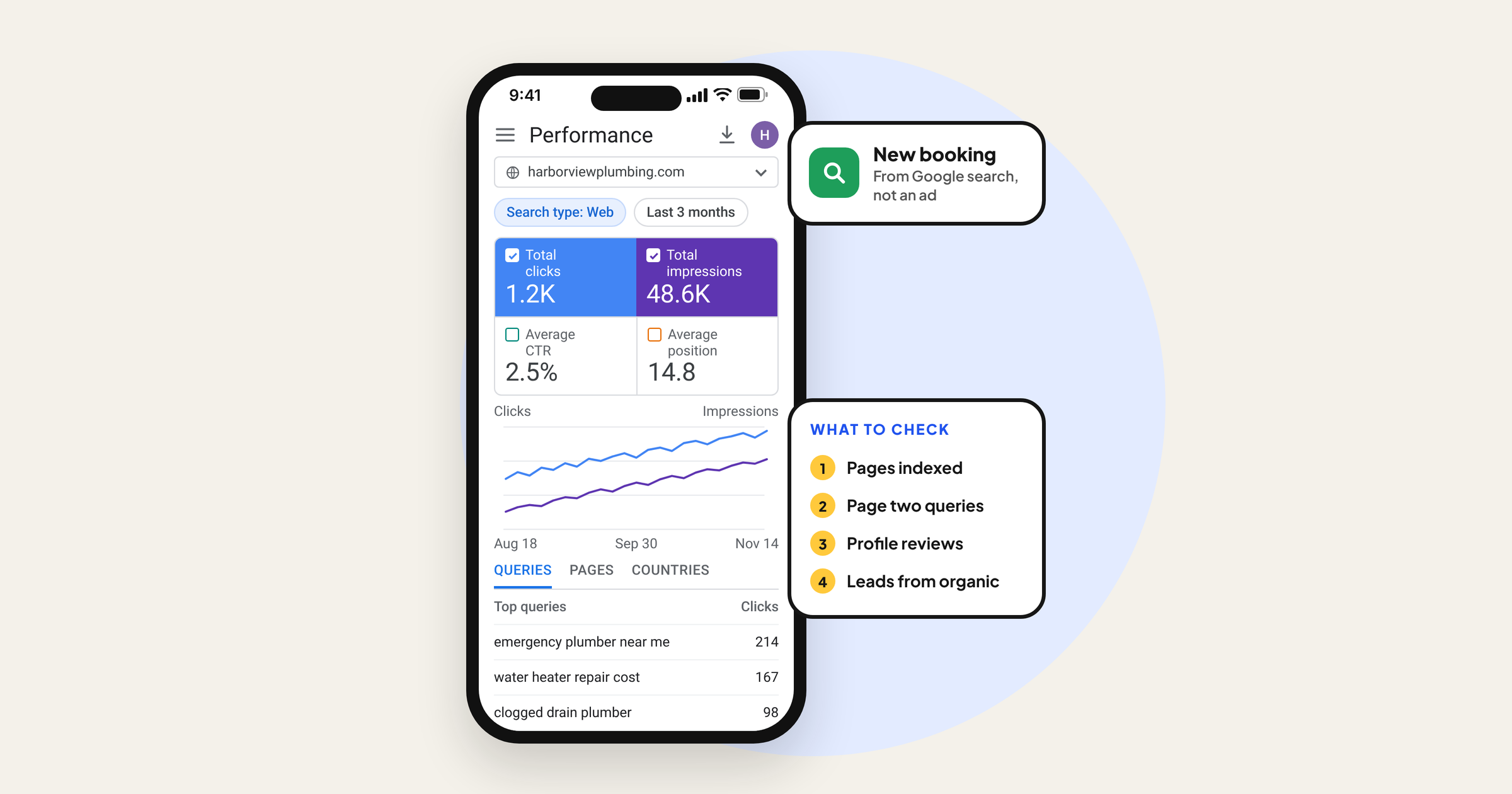
- Performance report: total clicks, total impressions, average CTR and average position. Switch to the Queries tab and sort by impressions. These are the searches Google already associates with you.
- Page indexing report: look for your important pages under "Not indexed". A service page marked "Excluded by noindex tag" or "Crawled, currently not indexed" cannot rank, no matter how good it is.
- Generative AI performance reports: Google introduced these in June 2026 and expanded them to all sites later in the year. They show impressions for your pages in AI Overviews and AI Mode, broken down by page, country and device. Clicks from AI features are also counted inside the normal Performance report under the Web search type.
Step 2: Keyword research that finds buyers, not just traffic
A keyword with 40 monthly searches from people ready to hire you is worth more than one with 40,000 searches from students writing essays. Small business keyword research is about buyer intent first and volume second.
Start with your money pages
Write down every service or product line you actually want more of, and how customers describe it in their own words. A dentist says "dental implants". A patient might search "replace missing tooth cost". A realtor says "listing services". A seller searches "how much will my house sell for in Plano". The customer's words are your keywords.
Free places to find real searches
- Google autocomplete: type your service and note the suggestions, then add letters ("roof repair a", "roof repair b").
- People also ask boxes: each question is a potential FAQ or supporting article.
- Your Search Console queries: searches where you rank on page two (average position 11 to 20) are your fastest wins.
- Google Ads Keyword Planner: free with a Google Ads account, useful for rough volume ranges and related terms.
- Your inbox and sales calls: the questions customers ask before buying are the searches nobody else in your market is answering well.
Match each keyword to the right type of page
| Search intent | Example search | Page that should rank |
|---|---|---|
| Ready to buy, local | emergency plumber near me | Service page plus Google Business Profile |
| Comparing options | invisalign vs braces for adults | Comparison article that links to the service page |
| Researching cost | kitchen remodel cost per square foot | Pricing guide with real ranges and what changes them |
| Learning how | how to choose a listing agent | Helpful guide with a soft call to action |
| Looking for you | your business name reviews | Homepage, About page, Business Profile, review sites |
The quickest way to check intent: search the keyword yourself. If page one is all blog posts, a sales page will struggle. If it is all local businesses and a map, an article will struggle. Build the type of page Google is already rewarding, then make it better.
Pick battles a new site can win
"Accountant" is unwinnable for a new site. "Bookkeeping for Shopify stores in Ontario" is very winnable. Longer, specific searches have fewer competitors, clearer intent and higher conversion rates. Aim for a list of 20 to 40 specific keywords grouped by service, not one big trophy term.
Step 3: Build a site structure Google and buyers can follow
Many small business websites put every service on one long "Services" page. That page can only rank well for one or two ideas. Give each main service its own page, then support it with articles that answer related questions and link back to it.
- Homepage: who you serve, where, and your main services, each linking to its own page.
- Service or category pages: one per service, with pricing guidance, process, proof, FAQs and a clear next step.
- Supporting articles: answer specific questions and link to the matching service page with descriptive anchor text.
- Trust pages: About, team, contact with full address or service area, reviews, policies.
Keep URLs short and readable (/services/roof-repair, not /page?id=482). Every important page should be reachable within two or three clicks from the homepage, and no important page should have zero internal links pointing to it.
A warning about city pages: creating 30 pages like "Roofer in Austin", "Roofer in Round Rock" with the same text and a swapped city name is a classic doorway page pattern under Google's spam policies. Build a location page only when you have something real to say about that area: projects completed there, a local office, local team members or different pricing.
Step 4: On-page SEO for small business websites
On-page SEO is making each page clearly about one topic, for one kind of searcher. It is the part of SEO you control completely, and it is where most small business sites leave easy wins on the table.
Title tags and meta descriptions
Your title tag is usually the blue headline people see in Google. Put the main keyword near the start, add location if you are local, and finish with your brand: "Roof Repair in Austin, TX | Same-Week Inspections | Ridgeline Roofing". Google may rewrite titles it finds vague or stuffed, so write for people. The meta description does not directly affect ranking, but a specific one (what you offer, who for, why choose you) improves the chance someone clicks.
Headings and body content
Use one H1 that says what the page is about. Use H2s for the questions a buyer has: what is included, how much it costs, how long it takes, why you, what happens next. Answer them plainly. A service page with 150 words of generic copy rarely beats a competitor whose page actually explains the service, shows real photos and answers objections.
Images, structured data and internal links
Compress images and give them descriptive file names and alt text ("replaced asphalt shingle roof on two-story home" rather than "IMG_2231"). Add LocalBusiness or Organization structured data with your name, address, phone and hours, and make sure it matches what is visible on the page. Link from each article to the relevant service page using words that describe it.
On-page checklist
| Element | What good looks like | Mistake we see often |
|---|---|---|
| Title tag | Keyword first, location if local, brand last, unique per page | "Home" or the same title on every page |
| Meta description | Specific offer and reason to click, matches the page | Left blank or copied across pages |
| H1 | One clear H1 about the topic | Logo or slogan used as H1, or no H1 at all |
| Body | Answers buyer questions with specifics and proof | Thin, generic copy anyone could have written |
| Images | Compressed, descriptive alt text, real photos | 5 MB uploads and stock photos with no alt text |
| Internal links | Articles link to service pages with descriptive anchors | "Click here" or no links between pages |
| Structured data | Matches visible name, address, phone, hours | Old address or fake review markup |
Step 5: Technical SEO basics you cannot skip
You do not need to become a developer. You do need to make sure nothing is quietly blocking Google. These are the checks that catch most technical problems on small business sites:
- No accidental noindex. Website builders often have a "discourage search engines" or "hide from search" setting left on from the build phase. Check it, then use the URL Inspection tool in Search Console on your homepage and top service pages.
- HTTPS everywhere. Every version of your domain should redirect to one secure version.
- Mobile first. Google mainly uses the mobile version of your site. Open every key page on your phone: can you read it, tap the buttons and call you in one tap?
- Core Web Vitals. Google's Core Web Vitals measure loading (LCP, aim for 2.5 seconds or less), responsiveness (INP, 200 milliseconds or less) and visual stability (CLS, 0.1 or less). Heavy sliders, chat widgets and uncompressed images are the usual culprits.
- Redirects after a redesign. This is the most expensive mistake we see. A new website launches, old URLs change, nobody sets up 301 redirects, and years of rankings disappear in weeks. Before any redesign, export every URL that gets traffic and map each one to its new home.
- Robots.txt sanity check. Visit yourdomain.com/robots.txt. A line reading "Disallow: /" under "User-agent: *" blocks your whole site.
Step 6: Local SEO and your Google Business Profile
If customers find you by searching "near me" or a service plus your city, your Business Profile can matter as much as your website. Google says local results are mainly based on relevance, distance and prominence, and that prominence takes into account things like links to your business and the number of reviews you have. You cannot change distance. You can improve the other two.
Profile setup that improves relevance
- Choose the most specific primary category that describes your main business ("Cosmetic dentist" rather than only "Dentist" if that is your focus), then add accurate secondary categories.
- Fill in services, products, hours, holiday hours, attributes and a description written for customers.
- Service-area businesses (cleaners, contractors, mobile services) should set a service area and hide the street address if customers do not visit.
- Add real photos regularly: storefront, team, work in progress, finished jobs.
- Keep your business name, address and phone identical on your website, Business Profile, Yelp, Apple Business Connect, Bing Places and industry directories.
Reviews: the honest way
Ask every happy customer, at the moment they are happiest, with a direct review link (you can get it from your Business Profile). Reply to every review, especially the bad ones, calmly and specifically. Never pay for reviews, offer discounts in exchange for them or write them yourself. Google's policies prohibit it, and in the US the FTC's rule on fake reviews and testimonials, in force since October 2024, allows civil penalties. Steady, real reviews beat a sudden burst every time.
Step 7: Content that earns rankings and AI mentions
Google's ranking systems try to reward content written to help people, by someone who knows the subject, rather than content written mainly to rank. For a small business, that is an advantage. You answer customer questions every day. Turn those answers into pages.
What makes a small business article worth ranking
- It answers one specific question completely, early in the page.
- It shows first-hand experience: your process, real price ranges, photos of your work, mistakes you see customers make.
- It names who wrote it and why they are qualified.
- It is kept up to date. Put a reminder in your calendar to review your top pages every six months.
Content ideas by business type
| Business type | Strong article ideas | Watch out for |
|---|---|---|
| Home services | Cost guides, repair vs replace, seasonal checklists | Location pages with swapped city names |
| Dental, medical, aesthetics | What a visit involves, financing and insurance questions, aftercare logistics | Medical claims or advice beyond what a licensed provider has reviewed |
| Real estate | Neighborhood guides, selling timelines, closing cost explainers | Copying listing descriptions that appear on many sites |
| E-commerce and D2C | Buying guides, size and fit help, comparisons | Manufacturer product descriptions copied word for word |
| B2B and professional services | Pricing models, process explainers, how to choose a provider | Vague thought leadership with no specifics |
One honest note on AI writing tools: using them to outline or tidy a draft is fine. Publishing dozens of unedited AI pages to cover every keyword variation is what Google calls scaled content abuse, and it is one of the fastest ways for a small site to lose trust.
Step 8: Links and mentions without spam
Links from other websites still help Google judge how well-known you are. Small businesses do not need thousands. A handful of relevant, real links usually beats a pile of junk ones. Good sources:
- Your local chamber of commerce, business association or industry body membership listing.
- Suppliers, manufacturers and partners who list where to buy or who to hire.
- Local news, podcasts and community sites, earned by having something useful to say.
- Sponsorships of local teams and events. If you paid for the link, it should carry a rel="sponsored" or nofollow attribute.
Avoid anyone selling "500 high-authority backlinks" for a flat fee. Buying links to manipulate rankings breaks Google's spam policies, and the cleanup costs far more than the links ever did.
AI Overviews and AI Mode: what really changes
You will hear a lot of sales pitches about "AI SEO" and special files for AI. Here is what Google actually says in its guidance on AI features: there are no additional requirements or special optimizations needed to appear in AI Overviews or AI Mode, and you do not need new machine-readable files, AI text files or special markup. A page has to be indexed and eligible to show with a snippet.
What does change in practice is behavior. Simple informational questions are increasingly answered on the results page, so some blog posts get impressions without clicks. That makes two things more important for small businesses: pages that help someone take the next step (book, call, compare, buy), and a brand people search for by name. Use the generative AI performance reports to see which of your pages are being surfaced, and judge success by leads, not just traffic.
How to measure SEO progress each month
| What to check | Where | Healthy sign | Red flag |
|---|---|---|---|
| Impressions | Search Console, Performance | Rising month over month | Sudden drop across all pages |
| Queries on page two | Search Console, filter position 11 to 20 | More buyer terms moving up | Only brand name queries |
| Indexed pages | Search Console, Page indexing | All key pages indexed | Service pages excluded or not indexed |
| Organic leads | GA4 key events by channel | Forms, calls or sales from Organic Search | Traffic grows but zero key events |
| Business Profile | Performance in your profile | More calls, direction requests, website clicks | Views but no actions |
| Reviews | Business Profile | New reviews every month | Long gaps or unanswered complaints |
If traffic drops right after a Google core update, do not panic-edit everything. Wait until the update finishes rolling out (Google posts status on its Search Status Dashboard), then compare the pages that lost ground against the pages now ranking and ask honestly which one is more helpful.
Common SEO mistakes we see on small business websites
- All services on one page, so nothing ranks for anything specific.
- A beautiful redesign launched without redirects.
- Chasing broad keywords the site cannot win instead of specific buyer searches.
- Publishing ten blog posts in one month, then nothing for a year.
- No tracking, so nobody knows whether organic visitors ever become customers.
- Ignoring the Business Profile because "the website is what matters".
A 90 day SEO plan for a small business
| When | Focus | Done when |
|---|---|---|
| Weeks 1 to 2 | Search Console, sitemap, GA4 key events, Business Profile verified | You can see queries, indexed pages and leads by channel |
| Weeks 3 to 4 | Technical fixes: noindex, redirects, HTTPS, mobile, speed | All key pages indexed and loading fast on mobile |
| Month 2 | Keyword list, one strong page per service, titles and descriptions rewritten | Every service has its own page targeting specific buyer searches |
| Month 2 onward | Review requests built into your process; profile photos and updates | New reviews arriving every week or two |
| Month 3 | Two to four helpful articles answering real customer questions, linked to service pages | Content calendar set for the next six months |
| Day 90 | Review Search Console and leads; double down on what is moving | Clear list of next pages to build or improve |
Consistency matters more than speed. Two genuinely useful pages a month for a year will do more than a burst of twenty rushed ones.
Want a second pair of eyes on your SEO?
SEO is not magic, but it is easy to lose months working on the wrong things. At Digilabss we start by understanding your brand and how your customers actually think and search, then fix what is blocking you before building content that brings in buyers. You can see how we approach it on our SEO services page.
If you would like us to look at your site, Search Console and Business Profile and tell you plainly what to fix first, book a free audit.
Frequently asked questions
How long does SEO take for a small business website?
For a new or low-authority site, expect early signs (more impressions in Search Console, a few long-tail rankings) within two to three months, and meaningful leads from organic search in roughly six to twelve months. Local Business Profile improvements can show up faster, often within weeks, because reviews, categories and service details are quick to change. Anyone promising page one in 30 days for competitive terms is guessing or using tactics that break Google's spam policies.
Can I do SEO for my small business myself?
Yes, most of the foundations are DIY friendly: setting up Search Console and Google Business Profile, writing clear service pages, fixing titles and meta descriptions, asking for reviews and publishing helpful articles. Where owners usually need help is technical issues after a redesign, choosing which keywords are realistic, and keeping a steady content rhythm while running the business.
How much should a small business spend on SEO?
There is no fixed number. What matters is that someone spends consistent time each month on content, fixes and local signals for at least six months. Compare the cost against what the same leads cost you in Google Ads. If organic search can replace even part of that ad spend over a year, SEO usually pays for itself.
Do I need special optimization to show up in Google AI Overviews?
No. Google's own documentation says there are no additional requirements or special optimizations needed to appear in AI Overviews or AI Mode, and no special AI text files or markup. Your page needs to be indexed and eligible to show with a snippet. The same fundamentals that help normal rankings (clear, helpful, accurate content on a crawlable page) are what matter.
Is SEO or Google Ads better for a small business?
They do different jobs. Google Ads brings buyers this week while you pay for every click. SEO takes months but keeps bringing visitors without a per-click cost. Most small businesses do best running Google Ads for immediate leads while building SEO, then shifting budget as organic rankings grow.
Should I create a separate page for every city I serve?
Only if each page has genuinely useful, unique content for that area, such as real projects, local details, team members or pricing differences. Dozens of near-identical city pages with only the city name swapped can be treated as doorway pages under Google's spam policies. One strong service page plus a clear service-area section is usually better than thin location pages.