Google Ads for Home Services: How to Get More Booked Jobs in 2026

In this article
- Do Google Ads work for home service businesses?
- Google Search ads vs Local Services Ads in 2026: which should you run?
- How much should a home service business spend on Google Ads?
- How do you set up a Google Search campaign for a home service business?
- Which keywords should plumbers, HVAC companies and roofers bid on?
- How do you write Google ads that make homeowners call?
- What should the landing page for a home service ad include?
- How do you track booked jobs, not just leads?
- What do Google Ads look like for HVAC, roofing and cleaning companies?
- What are the most common Google Ads mistakes home service businesses make?
- What should you check in your Google Ads account every week?
- What does a 30/60/90-day Google Ads plan for home services look like?
- Ready to get more booked jobs from Google?
It is 7:40 on a hot July morning. Your techs are loaded up, your office manager has coffee, and the phone is quiet. Meanwhile the HVAC company two towns over has three vans parked outside a neighbor's house. You know they are running ads on Google because you saw them at the top when you searched your own service last night. You wonder whether you are missing out, or whether that is just a quick way to light money on fire.
Google Ads for home services can be the most predictable source of booked jobs a plumber, HVAC company, electrician, roofer or cleaning business ever has, because people search Google at the exact moment something breaks. But it only works when the campaign is built for calls and booked jobs, not clicks. This guide walks you through how to run Google Ads for a home service business in 2026: whether to use Search ads, Local Services Ads or both (Local Services Ads are moving into Google Ads right now), how much to budget, the exact settings to choose, which keywords to bid on and block, how to track real jobs, and a 90-day plan. If you are brand new to the platform, read our Google Ads for Small Businesses guide first, then come back here.
Do Google Ads work for home service businesses?
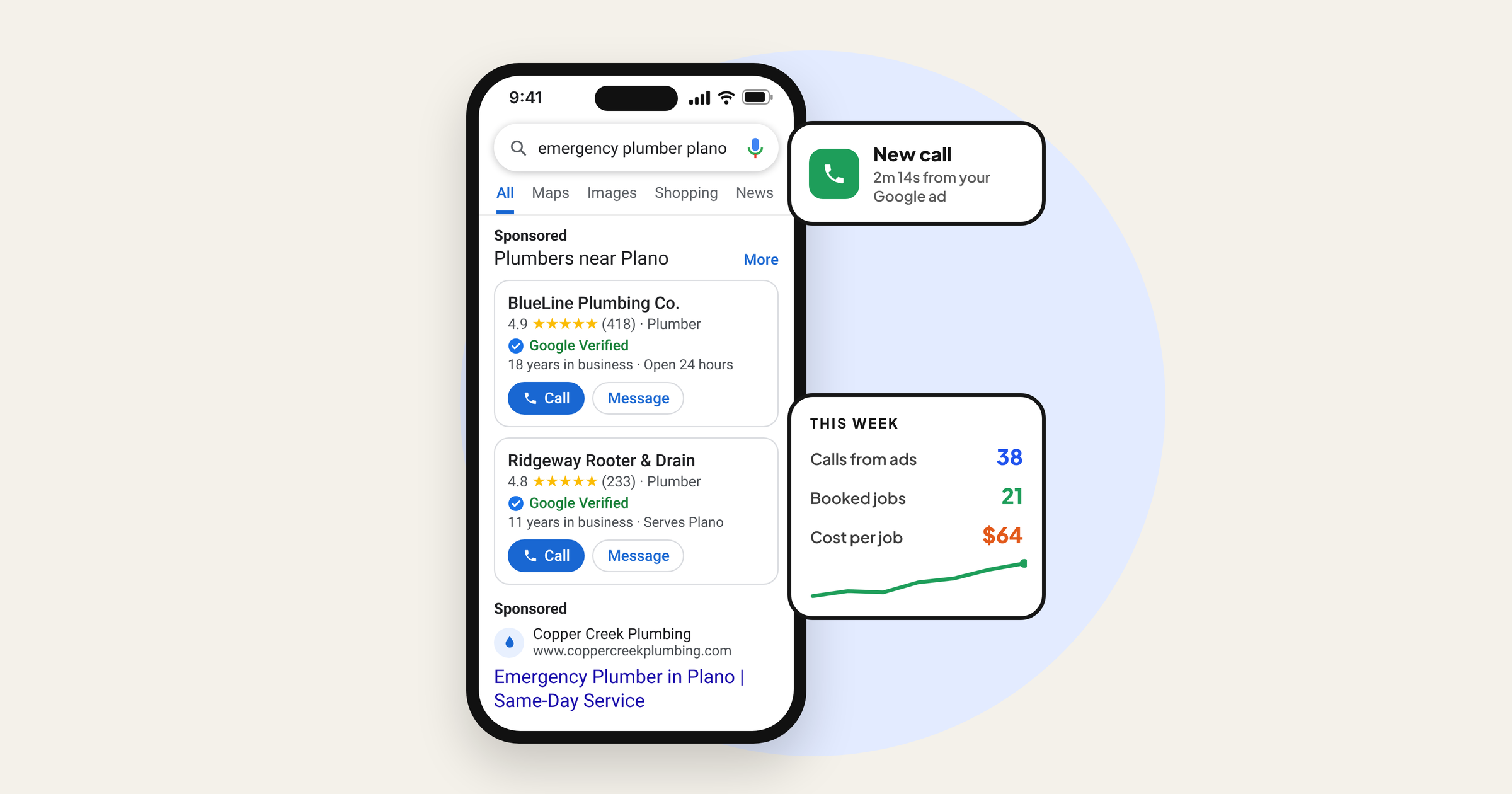
Google Ads work well for home service businesses because homeowners search Google with urgent, high-intent needs like "emergency plumber near me" or "AC not cooling", and the ads appear at that exact moment. They work best when you track phone calls and booked jobs, target only your real service area, and block searches from DIYers and job seekers.
The reason this channel suits home services so well is intent. On social media, you interrupt someone who is scrolling. On Google, the customer comes to you with a problem and a credit card. A homeowner with water on the kitchen floor is not comparing ten blog posts. They want someone who answers the phone, shows up today and charges a fair price. If your ad is the one that makes that easy, you get the job.
That does not mean every home service business wins with Google Ads. In the accounts we audit, the businesses that struggle usually share the same three problems:
- They measure clicks instead of calls. A campaign can have a great click-through rate and still produce nothing but wrong numbers and tire kickers.
- They target too wide. A plumber who serves 12 zip codes ends up paying for clicks from people 60 miles away, or from people who only searched about the city.
- They let Google match them to the wrong searches. "How to fix a running toilet", "plumber salary" and "plumbing supply store" all contain the word plumber, and none of them is a customer.
Fix those three and Google Ads becomes less of a gamble and more of a dial you can turn up in busy season and down when your schedule is full.
Which home service businesses get the best results?
Businesses with urgent, high-ticket jobs usually see the clearest return: emergency plumbing, water heater replacement, HVAC repair and replacement, electrical repair, roofing, garage door repair, water damage restoration and pest control. Recurring services like house cleaning and lawn care also do well, but the math is different, because a single click may turn into a customer who pays you every two weeks for years. We cover how to value that later in the budget section.
Google Search ads vs Local Services Ads in 2026: which should you run?
Google Search ads charge per click and let you control keywords, ad text and landing pages. Local Services Ads charge per lead, show above Search ads with a Google Verified badge and need no keywords. In 2026 Google is moving Local Services Ads into Google Ads as pay-per-lead Performance Max campaigns, so most home service businesses should run both.
If you have run Local Services Ads (LSAs) before, you have probably noticed things changing. According to Google's help page on the transition, the standalone Local Services Ads experience is moving into Google Ads in phases. The first phase began in August 2026 for select US home and storefront service categories, including plumbing, HVAC, electrical, appliance repair, house cleaning, lawn care, roofing, pest control and moving. Broader groups, such as service-area businesses without a storefront and accounts with custom bidding or booking setups, follow in late 2026, and non-US accounts and remaining categories follow in 2027.
Here is what that means in practice for an owner:
- You still pay per lead, not per click. Calls that meet a minimum duration are charged, and messages and bookings can count too.
- Targeting is still keywordless. You choose locations, business categories, service types and an ad schedule, and the ads show on Google Search and Google Maps.
- Bidding changes. Google says manual bidding such as a maximum cost per lead is no longer supported, and per-category targets are replaced by one campaign-level target cost per acquisition. If you want a different target for plumbing and for HVAC, you need separate campaigns.
- Budgets change shape. A weekly LSA budget is converted into a daily average (weekly budget divided by 7), and Google says monthly spend will not exceed that daily average times 30.4.
- Old performance reports do not carry over. Past leads and call recordings move with you, but historical reports such as impressions, clicks and weekly spend do not. Download what you can before your account migrates.
- Manual lead disputes are gone. Google evaluates lead quality itself and may credit charges automatically.
Since October 2025, the older Google Guaranteed and Google Screened badges have also been consolidated into a single Google Verified badge, and Google's help page says completed verification and the badge transfer automatically during the migration. Verification still involves business checks and, for many categories, background checks for owners and technicians, so start early if you have never done it.
Side-by-side comparison
| Factor | Google Search ads | Local Services Ads (Performance Max pay-per-lead) |
|---|---|---|
| How you pay | Per click | Per qualifying lead (call, message or booking) |
| Where ads show | Google Search results and, optionally, search partners | Top of Google Search and Google Maps |
| Keywords | You choose keywords and negatives | No keywords; categories and service types instead |
| Ad text and landing page | Fully under your control | Built from your profile, reviews, photos and callouts |
| Trust signal | Your own ad copy, reviews in assets | Google Verified badge and review rating |
| Best for | Specific high-value jobs, testing offers, controlling spend by service | Steady volume of calls with low setup effort |
| Main risk | Paying for clicks that never call | Less control over lead mix; reviews and responsiveness drive ranking |
Our honest recommendation for most owners: if you are eligible, get verified and run Local Services Ads as your base layer, then run Search ads for your most profitable jobs (for example water heater replacement, AC system replacement, roof replacement or panel upgrades), where you want control over the message and the page people land on.
How much should a home service business spend on Google Ads?
A home service business should set its Google Ads budget from the value of a booked job, not a round number. Work backwards from job profit to the cost per lead you can afford, the leads you need and your expected cost per click. Many local accounts start at 1,500 to 5,000 USD per month, then scale what books jobs.
Those starting numbers are a common range, not a rule. Your real cost per click depends on your trade, your city and the competition, so check Keyword Planner inside Google Ads for your own service area before you commit. Here is how to do the math with your own numbers.
A worked example for a plumbing company
These numbers are illustrative assumptions to show the method. Replace them with yours.
- Average ticket: your average repair job is 450 USD and your gross margin is about 50 percent, so each job leaves roughly 225 USD to cover marketing and profit.
- Booking rate: your dispatcher books about 1 in 2 qualified calls from ads.
- Affordable cost per lead: if you are willing to spend up to 40 percent of the job's gross profit to win it, that is 90 USD per booked job, or 45 USD per qualified call (because only half the calls book).
- Conversion rate: your landing page and call assets turn about 1 in 8 clicks into a qualified call (12.5 percent).
- Affordable cost per click: 45 USD per call times 12.5 percent equals about 5.60 USD per click. If Keyword Planner shows emergency plumbing clicks in your area cost 12 USD, you cannot win on small repairs alone at that conversion rate, so you would either improve the conversion rate, focus on higher-ticket jobs such as water heater replacements, or count repeat customer value.
- Monthly budget: if you want 40 extra booked jobs a month, you need about 80 qualified calls, about 640 clicks, and at 5.60 USD per click that is roughly 3,600 USD per month.
The value of this exercise is that it tells you where the problem is before you spend anything. Most owners discover the budget is not the issue. The booking rate or the landing page is.
What about recurring services?
For house cleaning, lawn care or pest control plans, use lifetime value. If a biweekly cleaning customer pays 160 USD per visit and stays an average of eight months, that is about 17 visits and over 2,700 USD in revenue. You can afford a much higher cost per new customer than the first visit suggests, as long as you actually retain them. Track how long ad customers stay compared to referral customers, because the answer changes what you can bid.
Seasonality and capacity
Home services are seasonal. HVAC demand spikes in the first heat wave and the first cold snap. Roofing jumps after storms. Pest control rises in spring. Plan your budget by month, and remember that ads you cannot answer are wasted. If your schedule is booked two weeks out, lower the budget or pause the campaign for low-value jobs rather than paying for calls you will lose.
How do you set up a Google Search campaign for a home service business?
To set up a Google Search campaign for a home service business, first install call and form conversion tracking, then create a Search campaign with the Leads goal, target only your service area with the Presence location option, turn off the Display Network, set an ad schedule that matches when you answer the phone, and group keywords by service.
Below is the walkthrough we follow when building a new account. Do the steps in order. Skipping step 1 is the most expensive mistake in this whole article.
Step 1: Set up conversion tracking before you spend a dollar
Go to Goals, then Conversions, then Summary, and create these conversion actions:
- Calls from ads. This uses Google forwarding numbers on your call asset and counts calls that last at least the minimum length you set. For home services, 60 to 90 seconds usually separates real inquiries from wrong numbers and hang-ups. Check the call details report after a few weeks and adjust.
- Calls to a phone number on your website. This swaps the number on your site for a Google forwarding number when the visitor came from an ad, so you can see who called after reading your page.
- Form submissions and online bookings. Fire a conversion on the thank-you page or booking confirmation, not on the button click.
- Clicks on your number on mobile. Set this as a secondary action. A tap is not a call, so do not let bidding optimize for it.
Google's help page on phone call conversion tracking explains each call option. Mark only real lead actions as primary, because primary actions are what Smart Bidding optimizes toward.
Step 2: Create the campaign with the right settings
- Click New campaign, choose the Leads objective, and choose Search as the campaign type.
- Networks: untick the Display Network. Search partners can stay off at first; test them later once you have data.
- Locations: add your service area by zip codes, cities or a radius around your shop. Do not just type in your metro area if you only serve part of it.
- Location options: under Location options, choose Presence: people in or regularly in your targeted locations. Google's default is "Presence or interest", which can show your ads to people outside your area who searched about it. For a plumber, a person searching from another state is rarely a customer. Google's advanced location options page explains both settings.
- Languages: English, plus Spanish or other languages your team can actually serve on the phone.
- Ad schedule: match when someone answers. If you offer true 24/7 emergency service, run 24/7 but consider a separate campaign for after-hours with emergency-only keywords. If calls go to voicemail after 6 pm, stop the ads at 6 pm.
- Budget and bidding: start with Maximize conversions once tracking works. If you have no conversion history, some advertisers start with Maximize clicks with a maximum CPC limit for two to three weeks to gather data, then switch. Add a target cost per acquisition only after you have about 30 conversions in a month.
Step 3: Build ad groups around services, not around "plumber"
Create one ad group per service you want to sell, so your ad text and landing page match the search. A plumbing company might have ad groups for emergency plumbing, drain cleaning, water heater repair and replacement, leak detection and sewer line repair. An HVAC company might use AC repair, furnace repair, heat pump installation, AC replacement and maintenance plans.
Step 4: Link your Google Business Profile
Add a location asset by linking your Google Business Profile. This lets your address, distance and review rating show with your ads and can put you on Google Maps. If you are a service-area business with no storefront, make sure your profile's service areas match the areas you target in the campaign.
Step 5: Review automated features before launch
Google Ads suggests many automated options during setup, such as broad match, automatically created assets and the newer AI Max for Search campaigns feature, which expands queries and can rewrite ad text and choose landing pages. These can help once you have reliable conversion data, but in a brand-new home service account they often pull in irrelevant searches. Launch with them off or limited, then test them one at a time once you know your baseline cost per booked job.
Which keywords should plumbers, HVAC companies and roofers bid on?
Plumbers, HVAC companies and roofers should bid on keywords that show a hiring intent: the service plus words like repair, replace, install, emergency, near me, cost or company, plus their city names. They should avoid or block do-it-yourself, jobs, training, supply and free searches, which bring clicks from people who will never hire them.
Sort keywords by intent
| Intent level | Example searches | What to do |
|---|---|---|
| Emergency, hire now | emergency plumber near me, AC not working, burst pipe repair, 24 hour electrician | Highest bids, call-focused ads, run when you can answer |
| Hire soon | water heater replacement, new furnace installation, roof replacement company | Strong bids, landing page with financing and estimate form |
| Comparing | AC replacement cost, how much does a new roof cost | Test with a cost guide landing page; lower bids |
| DIY or research | how to unclog a drain, why is my furnace blowing cold air | Usually block or ignore unless you run content campaigns |
| Not customers | plumber jobs, HVAC training, plumbing supply store, roofing nails | Always add as negatives |
Match types for a home service account
Start with phrase match and exact match for your core services, for example "water heater replacement" and [emergency plumber near me]. They give you control while you learn which searches book jobs. Broad match can work later, but only with Smart Bidding and solid conversion tracking, and only after you have a long negative keyword list.
A starter negative keyword list
Add these as a shared negative keyword list (Tools, then Shared library, then Exclusion lists) and apply it to every campaign. Adjust for your trade:
- Jobs and careers: jobs, hiring, salary, career, apprentice, apprenticeship, union, resume, indeed
- Learning: school, course, training, certification, license exam, how to become
- DIY: how to, diy, youtube, video, tutorial, yourself
- Products and parts: parts, supply, supplies, wholesale, home depot, lowes, amazon
- Low-value: free, cheap (test this one; for some trades it brings price shoppers who still book)
- Out of area: names of cities and states you do not serve
Check the search terms report every week
Go to Campaigns, then Insights and reports, then Search terms. This shows the real searches that triggered your ads. You will find surprises, like a plumber showing up for "pool pump repair" or an HVAC company showing up for "car AC recharge". Add the bad ones as negatives and add the good ones as exact match keywords. In a new account, this single habit often cuts wasted spend more than any bidding change.
How do you write Google ads that make homeowners call?
Google ads that make homeowners call are specific about the service, the speed and the trust: they name the exact job, say how fast you can arrive, show proof such as reviews, licensing and years in business, mention upfront pricing or financing, and end with a clear call to action like "Call now for same-day service".
Responsive search ads let you add up to 15 headlines and 4 descriptions, and Google mixes them. Write headlines in groups so any combination still makes sense.
Headline ideas by theme
- Service match: Emergency Plumber in Plano, Water Heater Replacement, AC Repair Today
- Speed: Same-Day Service Available, Technicians On Call 24/7, Arrive Within 90 Minutes (only if true)
- Trust: Licensed and Insured, 4.8 Stars From 600+ Reviews (use your real numbers), Family Owned Since 2004
- Price clarity: Upfront Pricing, No Overtime Charges, Financing Available
- Call to action: Call Now, Book Online in 60 Seconds, Get a Free Estimate
Pin your service headline to position 1 only if your ads keep showing generic combinations. Too much pinning limits how Google tests, so pin sparingly.
Assets that matter most for home services
- Call asset: your phone number with call reporting on, scheduled to your answering hours.
- Location asset: from your linked Business Profile, showing distance and rating.
- Sitelinks: Emergency Service, Financing, Reviews, Service Areas, Book Online.
- Callouts: Licensed and Insured, Upfront Pricing, Same-Day Service, Senior Discount.
- Structured snippets: Services: Drain Cleaning, Water Heaters, Leak Detection, Repiping.
- Lead form asset: useful for non-urgent jobs like replacements and installations, where a homeowner wants a quote rather than an immediate call.
Never promise what your dispatch cannot deliver. "Arrive in 60 minutes" wins the click and then loses the review when the tech shows up three hours later.
What should the landing page for a home service ad include?
A landing page for a home service ad should match the searched service, show a tap-to-call phone number and a short booking form above the fold, prove trust with reviews, licenses and real photos of your team and vans, list the areas you serve, explain pricing or financing, and load in under three seconds on a phone.
Most home service clicks come from phones, often from someone standing in a wet basement or a hot living room. Your homepage is rarely the right destination. Build a page for each main service. Our website development guide for small businesses covers page speed and structure in more depth; here is the home service version.
Above the fold on a phone
- A headline that repeats the service and city: "Fast Water Heater Replacement in Plano".
- A large tap-to-call button with your tracked number.
- A two- or three-field form: name, phone, what is wrong. Long forms kill mobile conversions.
- One line of proof: star rating, number of reviews and "Licensed and insured".
Below the fold
- Photos of your real technicians, trucks and finished work. Stock photos of smiling models look like every other site and build no trust.
- What happens after they call: "We call back within 10 minutes, give an upfront price, and arrive in a marked van."
- Pricing guidance: a service fee, a price range for common jobs, or financing options for replacements.
- Service area list with towns and zip codes.
- Three or four reviews that mention the specific service.
- Guarantees and warranties you actually offer.
Speed and tracking checks
Test the page with PageSpeed Insights on mobile. Compress images, remove heavy sliders and chat widgets that delay loading, and confirm that your Google forwarding number swap shows the tracked number to ad visitors. Submit a test form and make sure the conversion fires in Google Ads before you launch.
How do you track booked jobs, not just leads?
To track booked jobs from Google Ads, record every call and form with its source, mark which ones booked and how much revenue they produced in your field service software or CRM, then import those outcomes back into Google Ads as offline conversions. That teaches Smart Bidding to find customers who book, not just people who call.
Calls are a good start, but a 2-minute call from someone asking whether you service their county is not a job. If you can, go one step further.
A simple setup that works for small teams
- Turn on auto-tagging in Google Ads so each click carries a click ID (GCLID).
- Capture the GCLID in a hidden field on your forms and store it with the lead in your CRM or field service software. Many popular home service platforms can store lead source and integrate with Google Ads; check what yours supports.
- Mark outcomes: booked, completed and revenue amount.
- Import conversions weekly or connect an integration so Google Ads receives "Booked job" and "Completed job" conversions with values.
- Change the primary goal to booked jobs once you have enough volume, and keep raw calls as secondary.
If that sounds like too much right now, at least do a manual version: every Monday, have your office manager tag last week's ad calls as booked or not booked in a spreadsheet. Even this rough view will show you which services and which hours produce real work.
Listen to your calls
Call recording (with the required caller disclosure in your state) is the cheapest training tool you have. In many accounts we review, the ads are fine and the problem is the phone: calls ringing out at lunch, no price guidance, or the dispatcher saying "we will call you back" and never doing it. Fixing call handling can lift your booking rate more than any keyword change.
What do Google Ads look like for HVAC, roofing and cleaning companies?
Google Ads look different for each home service trade: HVAC companies plan around heat waves and cold snaps and separate repair from replacement, roofers react to storms and sell high-ticket inspections, and cleaning companies value recurring customers and lean on online booking. The setup principles stay the same, but the budget timing, keywords and offer change.
Scenario 1: A three-truck HVAC company in a hot climate
The owner wants more AC replacement jobs, which carry high margins, without drowning in low-value service calls during the peak. The plan:
- Two campaigns: Repair (AC repair, AC not cooling, emergency AC repair) and Replacement (new AC unit, AC replacement cost, heat pump installation), each with its own budget.
- In peak summer, when the schedule is full, the repair budget is lowered and the replacement budget is protected, because one replacement can be worth many service calls.
- The replacement landing page offers a free in-home estimate, financing information and a short form, and it uses a lead form asset for people who prefer not to call.
- Maintenance plan keywords run in spring and fall shoulder seasons to keep techs busy when demand drops.
Scenario 2: A roofing company after a hailstorm
Demand jumps overnight after a storm, and so does competition from out-of-state storm chasers. The plan:
- A ready-made "Storm damage" ad group, paused most of the year and switched on with a raised budget the morning after a qualifying storm in the service area.
- Tight location targeting on the affected zip codes with the Presence option.
- Ads stress local trust: years in the city, a local address, and help with the insurance claim process (describe the help you give, without promising claim outcomes).
- Negative keywords for roofing jobs, roofing materials and DIY tarp searches.
- A form that asks for the address and the type of damage, so the sales team can prioritize inspections.
Scenario 3: A house cleaning company growing recurring clients
The goal is biweekly and weekly customers, not one-off move-out cleans. The plan:
- Keywords around "house cleaning service", "recurring maid service" and "weekly house cleaning near me", with "move out cleaning" in a separate, lower-bid ad group.
- A landing page with instant online booking and clear pricing by home size, because cleaning customers like to book without calling.
- Conversions valued by expected lifetime value, so bidding favors recurring sign-ups over single visits.
- Running Local Services Ads as well, since house cleaning is among the first categories in the pay-per-lead migration.
What are the most common Google Ads mistakes home service businesses make?
The most common Google Ads mistakes home service businesses make are counting clicks instead of booked jobs, targeting people outside the service area, sending ads to a homepage, running ads while nobody answers the phone, using broad match without negative keywords, and changing settings every few days before the campaign has enough data.
Troubleshooting guide
| Symptom | Likely cause | What to check and fix |
|---|---|---|
| Lots of clicks, few calls | Wrong searches or weak landing page | Search terms report, mobile page speed, tap-to-call button visibility |
| Calls but few bookings | Call handling or lead quality | Listen to recordings, check after-hours coverage, check call length filter |
| Calls from outside your area | Location option set to Presence or interest | Switch to Presence, review location report under Where your ads showed |
| Spend runs out by 10 am | Budget too low for the keyword set | Narrow to top services and hours, or raise budget |
| Ads not showing | Low ad rank, policy issue or limited by budget | Status column, policy manager, Quality Score columns, bid strategy status |
| Cost per lead rising each month | More competition or creeping broad matching | Compare auction insights, review new search terms, refresh ads and offers |
| Conversions look too good to be true | Tracking a button click or page view as a lead | Audit conversion actions; keep only real leads as primary |
What should you check in your Google Ads account every week?
Every week, a home service business should check its Google Ads search terms, call recordings and call lengths, cost per booked job by service, location report, budget pacing, ad schedule, and any policy or tracking warnings. A 30-minute weekly review prevents most wasted spend and catches broken tracking before it ruins bidding.
Use this as your mini audit checklist:
| Check | Where to find it | What good looks like |
|---|---|---|
| Search terms | Insights and reports, Search terms | No job seeker, DIY or out-of-area searches; new negatives added |
| Conversions firing | Goals, Conversions, Summary | Every primary action recorded a conversion this week |
| Call quality | Call details report and recordings | Most ad calls are real inquiries and get answered |
| Cost per booked job | Your CRM or spreadsheet vs ad spend | Within the target from your budget math |
| Location | Insights and reports, Where your ads showed | Clicks come from your service area |
| Budget pacing | Campaign Budget column, Bid strategy status | Not limited by budget on your best services |
| Ad and asset status | Ads and Assets tabs | No disapprovals; call asset scheduled correctly |
| Reviews | Google Business Profile | New reviews coming in; replies to every review |
| Local Services Ads | Your LSA or Performance Max pay-per-lead campaign | Leads answered quickly; lead notifications on |
What does a 30/60/90-day Google Ads plan for home services look like?
A 30/60/90-day Google Ads plan for home services starts with tracking, tight targeting and a few core services in month one, uses month two to cut waste and improve the landing page and call handling, and expands in month three to more services, smarter bidding and offline conversion imports once you know your real cost per booked job.
Days 1 to 30: Foundation
- Set up call, form and booking conversions and test each one.
- Verify your Business Profile and apply for (or migrate) Local Services Ads.
- Launch one Search campaign with your two or three most profitable services, phrase and exact match, the Presence location setting and an ad schedule.
- Build one landing page per service.
- Review search terms twice a week and add negatives.
Days 31 to 60: Tighten
- Start the weekly booked-job spreadsheet or CRM tagging.
- Listen to 20 call recordings and fix the call script.
- Test a second set of headlines focused on speed or price clarity.
- Move from Maximize clicks to Maximize conversions if you started there.
- Shift budget toward the services with the lowest cost per booked job.
Days 61 to 90: Scale
- Add the next services and, if relevant, a separate after-hours emergency campaign.
- Import booked-job conversions and value them by job type.
- Test a target cost per acquisition once you have steady monthly conversions.
- Plan your budget for the coming season, month by month.
- Consider testing broad match or AI Max for Search in one campaign, with a clear before-and-after comparison.
Ready to get more booked jobs from Google?
Home service businesses get more booked jobs from Google when the ads, the landing page and the phone all work together. Start with tracking, tighten your service area, match each ad to one service, and judge results by cost per booked job. Then scale the services that fill your schedule profitably.
If you would rather have experts handle it, our team runs Google Ads management for home service businesses across the US and Canada. Before we touch a campaign, we take the time to understand your trade, your service area and how your customers think when something breaks at home, because that psychology decides which ad gets the call. If you want a second pair of eyes first, book a free Google Ads audit and we will show you where your budget is leaking and what to fix first.
Frequently asked questions
Are Google Ads worth it for home service businesses?
Yes, for most home service businesses Google Ads are worth it when they are measured by cost per booked job. Homeowners search Google when something breaks, so intent is high. They stop being worth it when tracking is missing, the service area is too wide or nobody answers the calls.
Should I use Local Services Ads or Google Search ads for my home service business?
Most eligible home service businesses should use both. Local Services Ads charge per lead and show at the top with a Google Verified badge, while Search ads give you control over keywords, ad text and landing pages for your most profitable jobs. In 2026 Local Services Ads are moving into Google Ads as pay-per-lead Performance Max campaigns.
How much do Google Ads cost for plumbers and HVAC companies?
There is no fixed price; you set the budget and pay per click on Search ads or per lead on Local Services Ads. Costs depend on your trade, city and competition, so check Keyword Planner for your area and work backwards from the profit of a booked job to the cost per click you can afford.
What location setting should a home service business use in Google Ads?
Use the Presence option, which shows ads to people in or regularly in your targeted locations. Google's default, Presence or interest, can also show ads to people elsewhere who are interested in your area, which usually wastes budget for a local service business.
How long does it take for Google Ads to work for a home service company?
Expect to judge a new campaign after four to six weeks, as long as conversion tracking works. The first month gathers data and removes bad searches; months two and three are when cost per booked job usually becomes clear and you can scale what works.