Static and Video Ad Creatives for Amazon and Meta: The Complete Guide

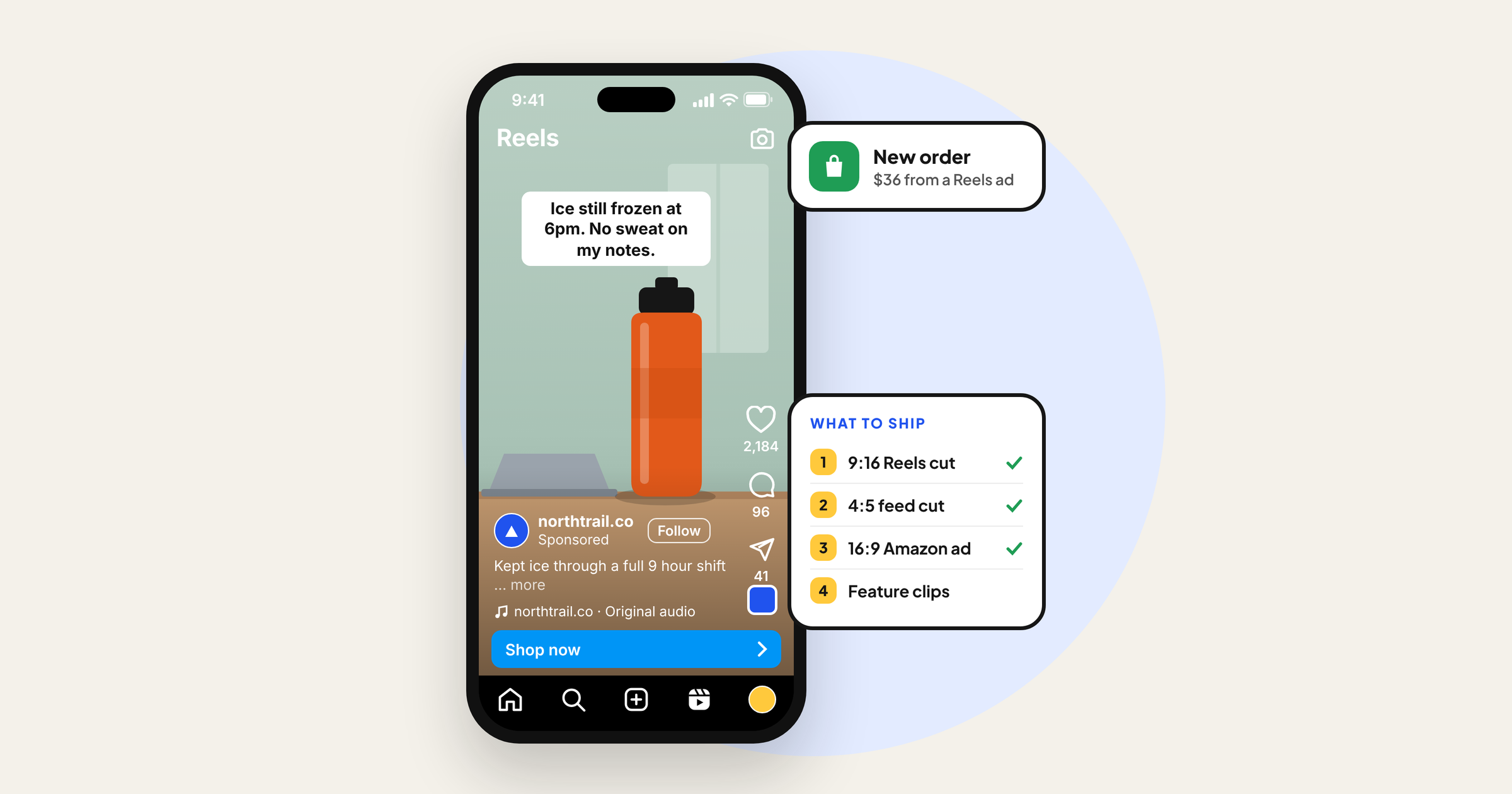
In this article
- What are static and video ad creatives, and why do Amazon and Meta need different ones?
- Who makes static and video ad creatives for Amazon and Meta?
- What specs do Meta static and video ads need in 2026?
- What specs and rules do Amazon static and video ads need?
- How do you plan one creative production for both Amazon and Meta?
- What makes a static ad convert on Amazon and Meta?
- What makes a video ad convert on Amazon and Meta?
- How many ad creatives do you need, and what should you budget?
- Industry scenarios: how creative needs change by business
- How do you brief a creative team so the ads actually sell?
- How do you test ad creatives and read the results?
- Common ad creative mistakes that waste budget
- Your 30/60/90-day creative plan and weekly checklist
- Need static and video ad creatives that sell on Amazon and Meta?
It is 11pm and you are scrolling your own ad account. The product is good, the reviews are good, and the offer is fair. But the same three ads have been running for six weeks, the cost per purchase keeps creeping up, and your Amazon video ad was rejected for a reason you do not fully understand. You know the problem is the creative. You just do not know who should make the next batch, what they should make, or how to tell if it is working.
This guide answers that in full. You will learn who makes static and video ad creatives for Amazon and Meta (and how to choose between doing it yourself, hiring freelancers, working with UGC creators or using an agency), the exact specs and rules each platform enforces in 2026, how to plan one production that feeds both platforms, and how to test creatives without wasting budget. If you are new to the platforms themselves, start with our Meta Ads for Small Businesses guide and our Amazon Ads for Small Businesses guide, then come back here for the creative side.
What are static and video ad creatives, and why do Amazon and Meta need different ones?
Static and video ad creatives are the images and videos people actually see in an ad. Amazon and Meta need different versions because shoppers arrive with different intent. On Amazon people are already searching to buy, so creatives must prove the product fast. On Meta people are scrolling for entertainment, so creatives must interrupt and create desire first.
Think of it as the difference between a shop window and a shelf label. Meta is the shop window on a busy street. Nobody walked out of the house planning to buy your product, so the creative has to stop them mid-scroll, make them feel something and give them a reason to tap. Amazon is the shelf. The shopper typed "insulated water bottle 32 oz" and is comparing five options side by side. Your creative has to answer "why this one" in about two seconds.
That difference changes everything about the asset:
- Format: Meta rewards vertical (9:16) and portrait (4:5) assets that fill a phone screen. Amazon Sponsored Brands video is horizontal 16:9 only, and most Amazon display placements use fixed banner sizes.
- Sound: Both platforms autoplay video muted, but Meta audiences often turn sound on for Reels, while Amazon Sponsored Products video removes audio entirely.
- Copy: Meta lets you speak directly to the viewer ("Tired of your bottle sweating through your bag?"). Amazon's moderation guide lists personal "you/your" language, urgency phrases and unsubstantiated superlatives among things to avoid.
- Proof: On Meta, proof often comes from people (a creator using it, a customer reaction). On Amazon, proof comes from the product itself: features shown close up, size in hand, the packaging, the result.
A creative that works on one platform rarely works unchanged on the other. The good news is that one well-planned production can feed both, which we will cover later in this guide.
Who makes static and video ad creatives for Amazon and Meta?
Static and video ad creatives for Amazon and Meta are usually made by one of five groups: the founder in-house, freelance designers and editors, UGC creators, specialist creative studios, or a performance marketing agency that handles creative and media together. The right choice depends on budget, volume needed each month and who will read the results.
This is the question many founders search, and the honest answer is that there is no single best option. Here is how each one works in practice.
Option 1: You make them in-house
Many brands start here. You shoot on a recent phone, edit in a simple tool, and design statics from templates. This works well for early testing, especially for founder-led brands where your own face and voice are an asset. The limit is time and range. Most founders can make five or six ads before they start repeating themselves, and Meta's delivery system now rewards genuinely different concepts, not small variations.
Option 2: Freelance designers and video editors
Freelancers are good for execution when you already know what you want. A designer can turn your product photos into a set of statics in every size, and an editor can cut raw footage into multiple versions. The risk is that most freelancers are briefed on "make it look good" rather than "make it sell". You still own the strategy, the scripts and the testing plan.
Option 3: UGC creators
UGC (user generated content) creators are paid to film themselves using your product in a natural, phone-shot style. This style often performs well on Meta because it looks like organic content in the feed. Creators usually deliver raw clips plus a few edited versions. Check usage rights carefully: you need written permission to run their content as paid ads, for a defined period, and to use their handle if you run partnership ads.
Option 4: Specialist creative studios
Creative studios focus only on ad assets: product shoots, motion graphics, 3D renders, edited video. Some specialise in Amazon (listing images, A+ content, Sponsored Brands video), others in social. The output quality is usually high. The gap is often feedback: if the studio never sees your ad account data, it cannot learn which hooks and angles actually drove purchases.
Option 5: A performance marketing agency with in-house creative
A performance agency that makes creatives and also runs the ads closes the loop. The same team that writes the hook sees the thumb-stop rate, the cost per purchase and the Amazon conversion rate, then briefs the next round based on what the numbers say. This is the model Digilabss uses: we study the brand and the buyer's psychology first, then produce static and video ads for Amazon and Meta, and feed results back into every new round.
Many US and Canadian brands also work with offshore teams, for example in India, for editing and design because of cost and turnaround. That can work very well. What matters is not the location but whether the team understands your US customer, platform rules and how to read performance data.
Comparison: who should make your ad creatives?
| Option | Best for | Strengths | Watch out for |
|---|---|---|---|
| In-house (founder) | Pre-launch and first tests | Authentic, fast, cheap | Runs out of fresh ideas quickly |
| Freelancers | Brands with a clear plan | Flexible, pay per project | You still own strategy and testing |
| UGC creators | Meta prospecting ads | Native feel, human proof | Usage rights, inconsistent quality |
| Creative studio | Polished product visuals | High production quality | Often disconnected from ad results |
| Performance agency | Brands scaling spend | Creative tied to data | Higher monthly commitment |
A useful rule: below a few thousand dollars a month in ad spend, keep production lean (in-house plus a freelancer or two creators). Once creative fatigue becomes your main bottleneck, a team that connects creative to results usually pays for itself. Whoever you hire, budget for creative as an ongoing cost, often 10 to 20% of ad spend, rather than a one-time project.
What specs do Meta static and video ads need in 2026?
Meta static and video ads in 2026 should be produced in three shapes: 4:5 portrait (1080x1350) for Facebook and Instagram feeds, 9:16 vertical (1080x1920) for Stories and Reels, and 1:1 square (1080x1080) as a fallback for placements like search and right column. Keep key text out of the top and bottom edges of vertical assets.
Meta's upload flow asks for multiple aspect ratios and assigns them to placement groups automatically, so supplying all three prevents ugly crops. Practitioner Jon Loomer's breakdown of recommended aspect ratios by Meta placement is a useful reference: 4:5 for most feeds, 9:16 for Stories and Reels, and 1:1 for search and right column.
Static image checklist for Meta
- Export 1080x1350 (4:5), 1080x1920 (9:16) and 1080x1080 (1:1) versions of every static.
- Keep text short. A headline of five to eight words on the image is plenty; let the primary text do the explaining.
- For 9:16 versions, keep logos, prices and headlines away from the top and bottom of the frame, where the profile name, captions and call-to-action button sit. Meta's own Reels guidance asks you to leave roughly the top 14% and the bottom 35% free of key content.
- Use high-contrast product shots. Your product should be recognisable at thumbnail size.
- Export as PNG or high-quality JPG. Avoid heavy compression that blurs product edges.
Video checklist for Meta
- Edit natively in 9:16 for Reels and Stories, then create a 4:5 version for feeds (re-frame, do not just add bars).
- Put the hook in the first one to three seconds: a visual change, a bold statement on screen, or the product doing something surprising.
- Burn in captions. Many people watch muted, and captions also help sound-on viewers follow fast speech.
- Make 15 to 30 second cuts as your core, plus a 6 to 10 second cut for Stories. Longer videos (45 to 60 seconds) can work for problem-solution or founder story ads, but only if every few seconds earns the next.
- End with a clear visual call to action and the offer, but do not rely on it. Most viewers never see the last frame.
Why creative variety matters more after Andromeda
Meta's ad retrieval system, which Meta calls Andromeda, changed how ads are matched to people. Meta's guidance to advertisers now centres on creative diversification: giving the system genuinely different concepts so it can match different messages to different people. In practice this means ten nearly identical ads with different background colours count as roughly one idea. Ten ads with different angles (a problem, a comparison, a testimonial, a founder story, an unboxing) give the system real options.
This is why creative volume and variety has become the main lever for many Meta advertisers, ahead of detailed interest targeting. If your Meta ads get clicks but few purchases, the creative-to-landing-page match is often the issue; our guide on why Meta ads get clicks but no sales walks through that diagnosis step by step.
What specs and rules do Amazon static and video ads need?
Amazon static and video ads must follow strict specs and moderation rules. Sponsored Brands video must be 16:9, 6 to 45 seconds long, at 1280x720, 1920x1080 or 3840x2160 pixels. Sponsored Products video shows product feature clips without audio. Static and display creatives use fixed sizes and reject unproven claims, urgency language and added text.
Amazon is far less forgiving than Meta. A Meta ad with a small mistake usually still runs; an Amazon ad with a small mistake is often rejected, and rejections cost you days. The details below come from Amazon's own Sponsored Brands video specs and its moderation guide for Sponsored Brands and display ads, both worth bookmarking because Amazon updates them regularly.
Sponsored Brands video specs
| Setting | Requirement |
|---|---|
| Length | 6 to 45 seconds (Amazon highly recommends 20 seconds or less) |
| Aspect ratio | 16:9 only, no letterboxing or pillarboxing |
| Resolution | 1280x720, 1920x1080 or 3840x2160 |
| File | MP4 or MOV, 500 MB or less, H.264 or H.265 |
| Frame rate | 23.976 to 30 fps (Amazon lists the accepted values) |
| Audio | Optional; video autoplays muted with a mute toggle |
| Language | On-screen text or voiceover must match the marketplace |
Amazon also asks you to show the product or something interesting in the first few seconds, avoid text in the lower right corner (where the mute toggle sits), and end with a card showing your brand name and logo.
Sponsored Products video
Sponsored Products video is newer and works differently. Instead of one brand video, you upload short feature videos for an ASIN (at least 7 seconds each), and Amazon shows them in search results as interactive clips with short feature titles. According to Amazon's guide, audio is removed, the product should fill at least half the frame, and talking-head or slideshow style videos are not allowed. Feature titles are limited to 15 characters and descriptions to 55 characters, so you need to name each feature in two or three words: "Leakproof lid", "Fits cup holders", "Keeps ice 24h".
Static and display creative rules that cause rejections
Amazon's moderation guide lists the issues it rejects most often. The ones we see trip up brands most:
- Unproven superiority claims: "The best", "the most", "better than" need substantiation, and claims must match your product detail page.
- Price and discount language: specific prices or percentages ("Save 50%", "$20 off") are not allowed in the copy, and "Deal" may only be used when an Amazon deal is live.
- Urgency and shouting: "Hurry while supplies last!", repeated exclamation marks, ALL CAPS or Title Case headlines. Amazon expects sentence case.
- Spelling and grammar: Amazon names these among the top rejection reasons, which is painful because they are easy to prevent.
- Custom images: no added text beyond what naturally appears (like packaging), no plain product-on-white images, no logo-only images, no letterboxing, and never crop out the product.
- Video quality: blurry frames, black frames at the start or end, illegible text, abrupt endings, jumpy cuts and sudden volume changes.
Amazon recommends submitting creatives at least a week before launch so moderation has time to run. For seasonal campaigns like Black Friday, build that buffer in from the start.
Meta vs Amazon creative rules at a glance
| Element | Meta | Amazon |
|---|---|---|
| Main video shape | 9:16 and 4:5 | 16:9 (Sponsored Brands) |
| Direct "you" copy | Allowed and common | Discouraged in ad copy |
| Prices and discounts in creative | Allowed if accurate | Restricted in ad copy |
| Text on images | Allowed, keep it short | Custom images: no added text |
| Review speed | Usually fast | Can take a day or more; plan a week |
| What wins | Stopping the scroll, emotion, story | Product clarity, features, proof |
How do you plan one creative production for both Amazon and Meta?
Planning one creative production for both Amazon and Meta means shooting once with both outputs in mind. You capture vertical and horizontal footage, clean product close-ups, people using the product and plain backgrounds, then edit platform-specific versions. A shared shot list saves money and keeps the brand consistent across both channels.
Most wasted creative budget comes from shooting for one platform and then trying to force the footage onto the other. A 9:16 creator video cannot become a clean 16:9 Sponsored Brands video without awkward crops, and a polished studio product spin rarely stops anyone on Reels.
Step 1: Write the message map first
Before anyone picks up a camera, list the three to five reasons a customer buys. Pull them from reviews (yours and competitors'), customer emails and sales calls. For each reason, write one line in the customer's language. These lines become your hooks on Meta and your feature titles on Amazon.
Step 2: Build a shot list with three columns
- Product shots (both platforms): hero shot, every key feature close up, scale shots in hand, packaging, the product in its real setting. Shoot these horizontally in 4K so you can crop vertical versions from the centre.
- People shots (mainly Meta): creator or customer unboxing, using the product, reacting to the result, talking to camera. Shoot these vertically.
- Proof shots (both): before and after where allowed, side-by-side comparisons with a generic alternative, durability tests, timers, measurements.
Step 3: Edit into platform packages
From one production day you should be able to deliver something like this:
- Meta: 6 to 10 videos built on different hooks and angles, each in 9:16 and 4:5; 6 to 10 statics in 4:5, 9:16 and 1:1.
- Amazon: one or two 16:9 Sponsored Brands videos of 15 to 20 seconds, three to five Sponsored Products feature videos, plus custom lifestyle images for Sponsored Brands and display.
Step 4: Keep a creative library
Name every file with platform, concept, hook, format and version (for example META_problem-sweat_hook2_9x16_v1). Store raw footage in one shared folder. Three months from now, when an angle starts winning, you will be able to re-cut it in an hour instead of booking a new shoot.
What makes a static ad convert on Amazon and Meta?
A static ad converts when one clear idea is visible in under two seconds: the product, a single benefit and a reason to believe. On Meta that idea is usually framed as a problem or desire. On Amazon it is framed as product clarity in a lifestyle setting, with no added text and claims that match the listing.
Static ads are underrated. They are cheaper to make, fast to test and on Meta they often beat video for retargeting and offer-driven campaigns. The structure that works most often has four parts.
The four-part anatomy of a strong Meta static
- The hook line: five to eight words that name a problem or desire. "Your water bottle should not sweat on your laptop."
- The visual proof: the product in action, ideally showing the benefit (a dry bag, a laptop, a cold bottle).
- The reason to believe: a short credibility element such as a star rating graphic based on your real reviews, a "Made in USA" badge if true, or a material callout.
- The ask: a short offer or next step, mirrored in the ad's call-to-action button.
What a strong Amazon custom image looks like
Amazon's custom images for Sponsored Brands are lifestyle images, not text graphics. The winning pattern is simple: your product clearly visible and uncropped, in a real setting that signals the use case, with good light and space around it. A kitchen scale on a clean counter next to fresh ingredients. A dog bed in a sunny living room with a dog actually sleeping in it. No headlines, badges or arrows on the image; those go in the headline field, and even there they must follow Amazon's copy rules.
What makes a video ad convert on Amazon and Meta?
A video ad converts when the first three seconds earn attention, the middle proves the claim and the end makes the next step obvious. Meta videos should open with a human or emotional hook and work without sound. Amazon videos should show the product immediately, demonstrate features clearly and stay around 15 to 20 seconds.
A 20-second Meta video script structure
| Seconds | What happens | Example (insulated bottle) |
|---|---|---|
| 0 to 3 | Hook: problem or surprise | Creator pulls a soaked notebook out of a bag: "This is why I switched." |
| 3 to 8 | Introduce the product | Bottle out, condensation-free, ice rattling |
| 8 to 15 | Proof | Ice still in the bottle after a long day, timestamp on screen |
| 15 to 20 | Offer and call to action | "Free shipping this week, link below" with on-screen text |
Make at least three versions of the first three seconds for every video. The hook is the part that decides whether anyone watches the rest, so it deserves the most testing.
A 15-second Amazon Sponsored Brands video structure
| Seconds | What happens | Example (insulated bottle) |
|---|---|---|
| 0 to 2 | Product on screen immediately | Bottle on a desk, clean light |
| 2 to 6 | Feature one | Close up of the lid closing, text: "Leakproof lid" |
| 6 to 10 | Feature two | Bottle sliding into a car cup holder: "Fits cup holders" |
| 10 to 13 | Feature three | Ice cubes poured in, then a later shot still frozen |
| 13 to 15 | End card | Brand name and logo, product name |
Notice what is missing on Amazon: no talking to camera, no "you deserve this", no countdown timers. Text must be large enough to read on a phone; Amazon's moderation guide asks for at least 50 point text at 1080p. Keep the lower right corner clear for the mute button.
How many ad creatives do you need, and what should you budget?
Most small brands need 8 to 15 new Meta creatives a month and a smaller, steadier Amazon set refreshed every one to three months. The right number depends on spend: higher budgets exhaust creatives faster. Budget for creative as a share of ad spend, often 10 to 20%, rather than as a one-time project.
Worked example: a D2C brand spending $10,000 a month on Meta
Here is illustrative budget math, not a client result. Say your target cost per purchase is $40.
- At $10,000 a month, you can expect around 250 purchases if you hit the target ($10,000 / $40).
- Meta's learning phase guidance is about 50 optimisation events in a week per ad set. At $40 per purchase that is roughly $2,000 a week, so this budget supports one or two well-funded ad sets, not ten tiny ones.
- Set aside around 20% of spend ($2,000 a month) to test new creatives in a separate testing campaign or ad set.
- If each new creative gets roughly $150 to $250 to prove itself, that testing budget supports 8 to 13 new creatives a month.
- If one in four or five creatives becomes a winner (a common pattern, though yours may differ), you get two or three new winners each month to move into the main campaign, replacing fatigued ads.
That is where the "8 to 15 new creatives a month" guideline comes from. At $3,000 a month you would test fewer (four to six), and at $50,000 a month you may need 30 or more.
Worked example: an Amazon brand spending $5,000 a month
Amazon creative needs are lower in volume because much of Amazon spend goes to Sponsored Products, which use your listing images. A sensible Amazon creative set might be:
- Two Sponsored Brands videos (one product-focused, one use-case focused), refreshed every two to three months.
- Three to five Sponsored Products feature videos per hero ASIN.
- Three to four Sponsored Brands custom lifestyle images tested against each other.
- Seasonal versions for Prime Day and Black Friday, submitted at least a week early.
Industry scenarios: how creative needs change by business
Creative needs change by industry because buyers worry about different things. Fashion buyers worry about fit and look, supplement buyers worry about trust and safety rules, and home product buyers worry about size and durability. The right creative mix answers the main worry for that category on each platform.
Fashion and apparel D2C brand
The main worry is "will it look good on me and fit?". On Meta, try-on videos with several body types, outfit styling ("one jacket, five looks") and fabric close ups do most of the work. Statics should show the garment worn, not flat. On Amazon, Sponsored Brands videos should show movement, fabric stretch and detail shots, while custom images show the item styled in a real setting. Size guidance belongs on the listing, but a short "true to size" moment in the video helps where your reviews support it.
Supplements and wellness brand
This category needs extra care. Both platforms restrict health claims. Meta's policies prohibit ads that assert or imply personal attributes, including health conditions (for example "Struggling with your anxiety?"), and restrict before-and-after imagery for health and weight products. Amazon requires claims to be substantiated and to match your detail page. So creatives should focus on things you can show honestly: ingredients, sourcing, taste, the daily routine, the packaging, third-party testing badges if you genuinely have them. Write about the product and the ritual, never about curing or treating anything. This guide covers marketing, not medical advice, so have any claims checked against your regulatory guidance before launch.
Home and kitchen product brand
The main worries are "will it fit?" and "will it last?". Scale is everything: show the product in hand, on a counter, next to familiar objects. Durability tests (drops, dishwasher cycles, timers) work well on both platforms. On Meta, satisfying process videos (chopping, pouring, organising) stop the scroll naturally. On Amazon, a clean three-feature video with large text often outperforms a cinematic brand film.
How do you brief a creative team so the ads actually sell?
A creative brief that produces ads that sell explains who the buyer is, what they believe before seeing the ad, the one idea each ad must land, the proof available, platform specs and how success will be measured. Good briefs turn designers and editors into strategists instead of decorators.
Whether you hire a freelancer in Ohio, a studio in Toronto or an editing team in India, the quality of what you get back depends heavily on what you send. Use this structure:
- Product and offer: what it is, price, current offer, landing page or ASIN.
- Buyer: who they are, what they are frustrated by, what they have already tried. Paste three to five real review quotes.
- Angle for this ad: one idea per ad. "Comparison vs cheap alternatives" is an angle; "make it pop" is not.
- Hook options: two or three written hook lines to test.
- Proof available: reviews you can quote, test results, certifications, footage of the product working.
- Platform and specs: Meta (9:16, 4:5, 1:1) or Amazon (16:9 Sponsored Brands, feature videos, custom images), with the rules that apply.
- Do not include: claims you cannot prove, competitor names, restricted health language, discount wording for Amazon.
- Success metric: what number decides if this ad wins, and after how much spend.
Share results back with the team every two weeks. Showing an editor which of their hooks held attention is the fastest way to get better hooks.
How do you test ad creatives and read the results?
Test ad creatives by giving each new concept enough budget to reach a decision, then judging it on a short list of metrics: attention (hook and hold rates), interest (click-through rate) and outcome (cost per purchase or lead on Meta, conversion rate and ACOS on Amazon). Kill losers early, move winners into your main campaigns.
Meta metrics to check, in order
- Hook rate: 3-second video plays divided by impressions. This tells you whether the opening works. Compare ads against each other in your own account rather than against generic benchmarks.
- Hold rate: ThruPlays (or 15-second plays) divided by 3-second plays. This tells you whether the middle keeps people.
- Link click-through rate: whether the ad creates enough interest to tap.
- Cost per result: the number that actually matters. A creative with average CTR but a low cost per purchase is a winner.
To see hook and hold rates in Ads Manager, open the Ads tab, choose Columns, then Customize columns, and add 3-second video plays, ThruPlays and impressions. Save the column set as "Creative testing" so you can reuse it.
Amazon metrics to check
- Click-through rate: whether your creative stands out against the other results on the page.
- Conversion rate: whether the click was the right click. A flashy video with high CTR and low conversion is attracting the wrong shoppers or overpromising.
- ACOS or ROAS: spend relative to sales, the final judge for most sellers.
- New-to-brand metrics on Sponsored Brands: useful to see whether video is bringing in new customers, not just existing ones.
Simple decision rules
- If a Meta creative has spent about two to three times your target cost per purchase with no purchases, pause it.
- If it hits target cost per purchase over a meaningful number of conversions, move it into your main campaign without editing it (editing resets learning).
- On Amazon, give creative tests at least two to four weeks because volume is lower and moderation slows changes.
- Change one major thing per test where possible: the hook, the angle or the format, not all three.
Common ad creative mistakes that waste budget
The most common ad creative mistakes are running the same few ads for months, making variations that look identical to the algorithm, ignoring platform specs, using claims that trigger rejections and judging creatives on clicks instead of sales. Each one is fixable within a week once you know where to look.
- Creative fatigue ignored: frequency climbing past three or four in prospecting while cost per purchase rises is a classic sign. Refresh before performance collapses, not after.
- Fake variety: changing the colour of a button is not a new creative. Change the angle, the person, the format or the opening.
- One size for all placements: a 1:1 video stretched into Reels with blurred bars looks dated and gets scrolled past.
- Text buried in safe zones: your price or headline hidden behind the Reels caption or Amazon's mute button.
- Amazon copy written like Meta copy: "Hurry! Save 40% today!" will be rejected on Amazon.
- Unprovable claims: "best", "number one", "clinically proven" without evidence create rejection risk on Amazon and trust problems everywhere.
- No landing page match: a Meta ad promising a bundle that the landing page does not show leads to clicks without purchases.
- Judging on CTR alone: curiosity-bait hooks can get cheap clicks and expensive purchases.
Your 30/60/90-day creative plan and weekly checklist
A 30/60/90-day creative plan moves you from guessing to a repeatable system: the first month builds a message map and first test batch, the second month doubles down on winning angles, and the third month sets a steady monthly production rhythm for both Amazon and Meta ad creatives.
Days 1 to 30: foundations
- Mine reviews and customer messages for your message map (three to five buying reasons).
- Run one combined production for Meta and Amazon using the three-column shot list.
- Launch 6 to 10 Meta creatives across different angles and the core Amazon set (Sponsored Brands video, feature videos, custom images).
- Set up your creative testing columns in Ads Manager and a simple results sheet.
Days 31 to 60: learn and iterate
- Identify the top two Meta angles by cost per purchase and make three new hooks for each.
- Test a second Sponsored Brands video against the first.
- Add one new format you have not tried (for example a comparison static or a founder video).
- Replace any ad showing clear fatigue.
Days 61 to 90: build the rhythm
- Lock a monthly production schedule: new Meta concepts every two to four weeks, Amazon refresh every one to three months.
- Build seasonal creatives for the next big sales event at least four weeks ahead, and submit Amazon versions a week early.
- Review what your winners have in common and write it into your brief template.
What to check this week
| Check | Where | Healthy sign |
|---|---|---|
| Ad frequency in prospecting | Meta Ads Manager, Ads tab | Not climbing week after week with rising costs |
| Hook rate per video | Custom columns in Ads Manager | Clear winners and losers between hooks |
| Aspect ratios per ad | Meta ad preview, each placement | No crops, bars or hidden text |
| Rejected or pending creatives | Amazon Ads campaign manager | None pending longer than a few days |
| Sponsored Brands video CTR and conversion | Amazon campaign reports | CTR and conversion both stable or improving |
| Claims in all copy | Your ads vs listing and site | Every claim matches what you can prove |
Need static and video ad creatives that sell on Amazon and Meta?
Static and video ad creatives that sell on Amazon and Meta come from understanding the buyer first and the platform second. The brands that win treat creative as an ongoing system: a clear message map, platform-specific edits, steady testing and results feeding every new brief, month after month.
That is how we work at Digilabss. Before we design a single frame, we study your brand, your reviews and your customer's psychology: what they fear, what they want and what makes them trust you. Then we produce Meta and Amazon creatives built for each platform's rules and run them with the data to back every decision. You can learn more about our ad creatives and video service, or if your current ads are tired and you are not sure what to make next, book a free audit and we will show you exactly where your creative is leaking sales.
Frequently asked questions
Who makes static and video ad creatives for Amazon and Meta?
Static and video ad creatives for Amazon and Meta are made by founders in-house, freelance designers and editors, UGC creators, specialist creative studios or performance marketing agencies. Agencies that also run the ads can connect each creative to results, which makes the next round of creatives better.
Can I use the same ad creative on Amazon and Meta?
Usually not without changes. Meta favours vertical 9:16 and 4:5 assets with direct, emotional hooks, while Amazon Sponsored Brands video is 16:9 only and Amazon copy rules restrict urgency, prices and unproven claims. Shoot once with both in mind, then edit separate versions.
How long should an Amazon Sponsored Brands video be?
Amazon accepts Sponsored Brands videos from 6 to 45 seconds and highly recommends 20 seconds or less. In practice, 15 to 20 seconds with the product on screen from the first frame and three clear features works well for most brands.
What size should Meta ad creatives be in 2026?
Produce Meta creatives in 4:5 (1080x1350) for feeds, 9:16 (1080x1920) for Stories and Reels, and 1:1 (1080x1080) as a fallback. Keep key text away from the top and bottom of vertical assets so captions and buttons do not cover it.
How often should I refresh my ad creatives?
Most brands should add new Meta creatives every two to four weeks and refresh Amazon creatives every one to three months. Refresh sooner if frequency keeps rising while cost per purchase climbs, which is a common sign of creative fatigue.
Is it a good idea to hire an offshore team, for example in India, for ad creatives?
It can be, as long as the team understands your US or Canadian customer, the platform rules and how to read ad performance. Judge any team on strategy, briefs and results, not only on price or location.