ChatGPT Ads for Small Businesses: The Complete Guide

In this article
- What are ChatGPT ads and how do they work?
- Who sees ChatGPT ads, and where do they appear?
- Should your small business advertise on ChatGPT yet?
- How much do ChatGPT ads cost?
- How do you set up a ChatGPT ads campaign, step by step?
- How does targeting work in ChatGPT ads?
- How do you write ChatGPT ads people actually click?
- How do you track conversions from ChatGPT ads?
- What are the ChatGPT ads policies and restricted categories?
- ChatGPT ads vs Google Ads vs Meta Ads: which is better for small businesses?
- What are the most common ChatGPT ads mistakes?
- What should your 30/60/90-day ChatGPT ads plan look like?
- How do you get your business recommended in ChatGPT without paying?
- Ready to test ChatGPT ads for your business?
A customer calls and says something that stops you for a second: "I asked ChatGPT who does this near me, and it gave me three names." Yours was not one of them. Or you open ChatGPT yourself, ask about your own category, and notice a small card under the answer marked Sponsored, from a competitor. That quiet moment of "wait, people shop in here now?" is exactly why this guide exists.
ChatGPT ads for small businesses are now a real, buyable channel. OpenAI ran a US pilot from early 2026, opened a beta self-serve Ads Manager in May 2026, added cost-per-click bidding and conversion tracking, and has been widening access country by country. You can start with a small daily budget, target by country, region and device, and show a short card under answers that match what your product solves. This guide explains how it works, what it costs, who it suits, how to set up your first campaign, how to track it, which policies trip people up, and how it compares with Google and Meta. I write it as a performance marketer who has watched every new ad platform go through the same early cycle: confusion, overspending, and then a few businesses quietly getting cheap, high-intent customers before everyone else arrives.
A quick note on freshness: ChatGPT ads change fast. Everything here was checked against OpenAI's own pages in November 2026, and I flag the details that are still moving. Before you launch, confirm the current numbers inside Ads Manager.
What are ChatGPT ads and how do they work?
ChatGPT ads are paid placements that appear as a clearly labeled Sponsored card below a ChatGPT answer, shown when the conversation topic matches what an advertiser offers. Advertisers buy them through OpenAI's Ads Manager, pay per thousand views or per click, and never see the user's conversation. The ads do not change ChatGPT's answers.
That last point matters for how you plan. On Google you buy a position on a results page. On Meta you interrupt someone's feed. On ChatGPT you sit next to an answer the person asked for, written by a system you cannot influence. OpenAI's announcement of the self-serve platform describes the goal as keeping the experience "clearly separate from ChatGPT's answers," and the OpenAI ad policies say placement is based on the content and context of the conversation.
The basic mechanics
- A person on an eligible plan asks a question, for example "what is the best way to keep my dog's teeth clean without a vet visit?"
- ChatGPT writes its normal answer.
- Separately, OpenAI's ad system checks whether the conversation is eligible for ads (not a sensitive topic, not a restricted user) and which approved ads are relevant.
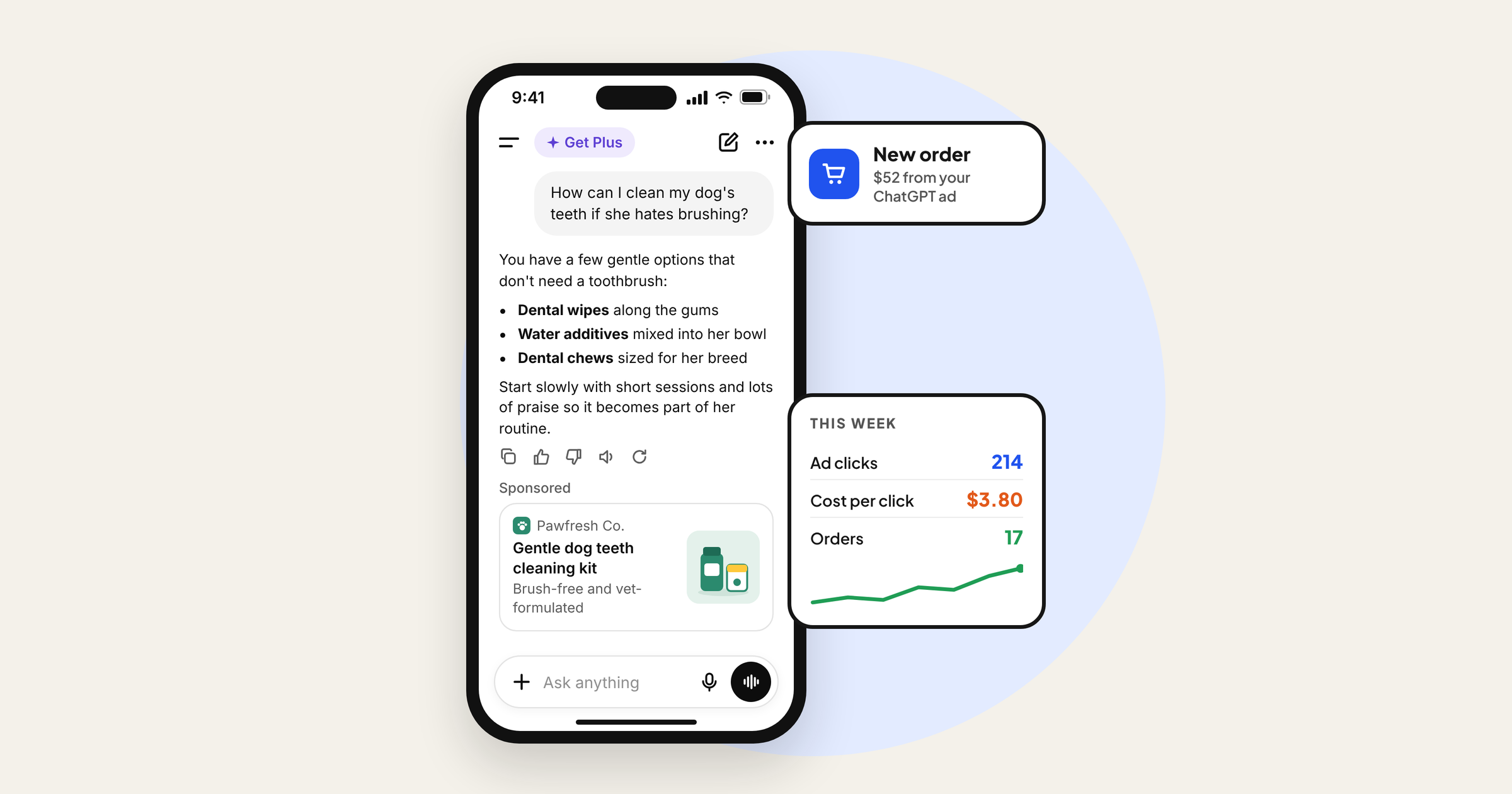
- If one qualifies and wins the auction, a compact card appears below the answer with the advertiser's name and small icon, a bold title, one or two lines of description, a square image, and a link to the landing page.
- You are charged for views or clicks depending on the objective you picked.
What advertisers can and cannot see
OpenAI states advertisers get aggregated performance insights "without access to individual conversations." In practice you see impressions, clicks, spend and conversions at campaign, ad group and ad level, plus what your own pixel or server tracking records after the click. You do not see the prompt, the person's name, their chat history or their memory. For a small business, this means you will learn less about the exact question that triggered your ad than you do from a Google search terms report, so your landing page and tracking have to do more of the work.
Who sees ChatGPT ads, and where do they appear?
ChatGPT ads are shown to logged-in adult users on the Free and Go plans in supported countries, below the end of an eligible answer. Paid plans such as Plus, Pro, Business, Enterprise and Edu see no ads, and ads are not shown in Temporary Chats or in sensitive conversations such as health conditions or mental distress.
This audience detail shapes your expectations. Free and Go users are a huge group, but they are not every ChatGPT user. Professionals on company Business or Enterprise plans will not see your ad, which is one reason B2B advertisers should be careful about putting big budgets here before testing.
Placement details worth knowing
- Position: below the answer, visually separated, labeled Sponsored. Usually one ad unit per answer, and a unit can hold one or several items.
- Formats: standard ads (title, description, square image, landing page) and product feed ads for e-commerce, which can show product image, title, price, sale price, star rating and brand. Ads inside image results and "sponsored agents" were in limited testing at the time of writing, so do not plan around them yet.
- Devices: you can choose Android app, Android web, desktop web, iOS app and iOS web.
- Countries: OpenAI rolls advertiser access out gradually. Self-serve started in the US and has expanded to many more markets, including Canada. New accounts may start limited to their home country until identity verification is approved and a spend level is reached, according to OpenAI's campaign setup help article.
Where ads will not show
OpenAI's policy lists sensitive contexts where ads do not run, including personal health conditions, serious mental distress, emotional dependence and personal vulnerability such as grief, loneliness, housing instability or serious financial hardship. It also blocks brand-unsafe topics such as self-harm, weapons, hate and graphic violence. If your product only makes sense next to those conversations, ChatGPT ads are not your channel.
Should your small business advertise on ChatGPT yet?
Your small business should test ChatGPT ads now if you sell an allowed consumer product, local service, travel experience or digital product that people research by asking questions, and you already have working conversion tracking. Wait if you are in a restricted category, sell mainly to enterprise employees, or have no budget to spare beyond proven channels.
The honest answer for most small businesses is "test small, keep Google and Meta as the base." OpenAI's policy says the initial rollout is "primarily limited to consumer verticals": household and consumer goods, local services, travel and experiences, and digital products or education. Here is how I think about fit by industry.
| Business type | ChatGPT ads fit today | Why |
|---|---|---|
| D2C e-commerce (home, pet, kitchen, fashion accessories) | Strong | People ask "what is the best X for Y" questions, and product feed ads show price and rating |
| Home services (cleaning, HVAC, landscaping, pest control) | Good | Local service is an allowed category and people ask how to fix problems before hiring |
| Travel, tours, experiences, restaurants with bookings | Good | Trip planning is one of the most common conversation types |
| Online courses, coaching programs (non-health), software and apps | Good | Learning and tool comparison questions are natural triggers |
| B2B professional services and SaaS for teams | Test carefully | Many professionals use paid workplace plans that show no ads |
| Dental, medical, aesthetics, supplements | Restricted | US advertisers need approval case by case, and outside the US health ads are generally prohibited |
| Banks, lenders, insurance, financial planning | Restricted | US case by case approval, licensing proof may be needed, prohibited outside the US unless approved |
| Alcohol, gambling, dating, cannabis, political or issue ads | Not allowed | Disallowed categories in OpenAI's ad policy |
Three questions to answer before you spend
- Do my customers ask questions before they buy? If the purchase starts with "how do I," "what is the best," or "is it worth it," you have natural ad triggers.
- Can I track a conversion today? If your Meta or Google tracking is broken, fix that first. A new channel with weak measurement is just a new way to lose money.
- Can I afford a learning budget? Plan for a test of at least four weeks. If losing that test budget would hurt cash flow, wait.
If you answered yes three times, read on. If not, the guides on Google Ads for small businesses and Meta Ads for small businesses are better places to put your next dollar.
How much do ChatGPT ads cost?
ChatGPT ads cost what you bid in an auction, with no published rate card. The minimum daily campaign budget is 25 USD in the US and 25 CAD in Canada. You choose cost per thousand views (CPM) or cost per click (CPC), and you never pay per conversion. Reported early clicks run roughly 3 to 22 dollars.
Let me unpack that, because cost is where new advertisers get surprised.
The three objectives and how you are billed
| Objective | You pay for | Best for |
|---|---|---|
| Views | Every 1,000 impressions (CPM) | Awareness for a launch or a new local business |
| Clicks | Each valid click (CPC) | Most small business tests, because you only pay for visitors |
| Conversions | Clicks (optimized CPC) or impressions (optimized CPM), while the system aims for your conversion event | Accounts with reliable pixel or Conversions API data |
Two rules from OpenAI's help article are easy to miss. First, you cannot change a campaign's objective after creating it; you have to build a new campaign. Second, a daily budget is an average over seven days. Daily spend can reach up to twice your daily budget on a busy day, but spend across the seven days will not exceed seven times the daily amount.
What the numbers look like in practice
OpenAI does not publish benchmarks. The figures that circulate come from advertiser reports in trade press: OpenAI has reportedly suggested starting max bids of around 3 to 5 dollars per click, with real CPCs reported from about 3 dollars to more than 20 dollars, and the early pilot was sold at around 60 dollars per thousand impressions. Treat these as rough, early market signals, not prices you can count on.
Worked example: a 30-day test budget
Imagine an online pet dental care brand selling a 39 dollar starter kit, with an average order of 52 dollars and a 55 percent gross margin.
- Break-even cost per sale: 52 x 0.55 = about 28.60 dollars. Spend more than that per first order and you lose money unless customers reorder.
- Daily budget: 30 dollars a day, slightly above the 25 dollar minimum, so the system has room to learn. That is about 900 dollars for 30 days.
- Clicks you might buy: at an assumed 4 dollar average CPC, 900 / 4 = 225 clicks.
- Sales needed to break even: 900 / 28.60 = about 32 orders, which means a 14 percent conversion rate from click to sale. That is high for a cold audience.
- What this tells you: on first orders alone the test is unlikely to break even, so judge it on cost per sale versus your other channels and on repeat purchase value. If your Meta cost per first order is 45 dollars and ChatGPT comes in at 40 with a better repeat rate, ChatGPT is winning even though it is "unprofitable" on day one.
Do this math for your own numbers before launch. It turns "is ChatGPT expensive?" into a clear target: the cost per sale or lead you can afford.
How do you set up a ChatGPT ads campaign, step by step?
To set up a ChatGPT ads campaign, sign up at ads.openai.com, verify your business and payment method, install the pixel or Conversions API, then create a campaign with an objective, budget, dates, countries and platforms. Add an ad group with context hints, upload ads with titles, descriptions and square images, and submit them for review.
Here is the walkthrough in the order I would actually do it.
Step 1: Prepare before you open Ads Manager
- A landing page that answers one specific question, loads fast on mobile and matches the ad exactly. OpenAI's policy calls this destination integrity.
- Your offer, price and any proof (reviews, guarantees) written down.
- A list of 10 to 20 real questions customers ask before buying. Pull these from your sales calls, emails, reviews and Google Search Console.
- Square images that look good small, at least 256 x 256 pixels.
Step 2: Create and verify your account
Go to ads.openai.com and register your business. OpenAI reviews advertiser legitimacy, so use your real legal business name, website and billing details. Billing is postpay on a saved card, charged when unpaid spend reaches a threshold. A failed charge can pause delivery, so use a card with room on it.
Step 3: Set up conversion tracking
Install the OpenAI pixel on your site and, if you can, connect the Conversions API, which sends events from your server and holds up better against browser blocking. Decide on one primary event: Purchase for e-commerce, Lead for a form, or a booked call. Add UTM parameters to every ad URL, for example utm_source=chatgpt&utm_medium=paid&utm_campaign=petdental-test, so Google Analytics 4 shows the traffic separately.
Step 4: Create the campaign
- Name it clearly, for example "US | Clicks | Pet dental | Nov 2026".
- Choose the objective. For a first test, Clicks is the simplest. Move to Conversions once you have steady conversion data.
- Set a daily budget at or above the minimum. OpenAI recommends new advertisers start with a daily budget.
- Set start and end dates.
- Choose countries. Important: to run only in the United States, you must explicitly include the United States. Excluding other countries alone does not restrict delivery.
- Add states, cities or postal codes if you are a local business and they are available.
- Pick platforms. Most small businesses should start with all mobile and desktop placements and narrow later based on results.
Step 5: Build ad groups around conversation themes
Ad groups use context hints, which describe the conversation topics you want to appear next to. They are not exact-match keywords. Write them as the situations your customers are in: "dog bad breath at home," "how to clean dog teeth without anesthesia," "dental chews versus brushing." Keep each ad group to one theme so you can see which situations convert.
Step 6: Write and upload ads
Write several distinct titles and descriptions per ad group. Limits reported from OpenAI's documentation vary by tool, so keep titles short (around 25 characters reads well on mobile) and descriptions to one clear sentence. More on writing in the creative section below.
Step 7: Submit for review and check status
Each ad is checked against OpenAI's policies before it goes live. Most review is automated, with human review for some decisions and for restricted categories. Check the serving status after a few hours. If an ad is rejected, the most common reasons are a mismatch between ad and landing page, unsupported claims, or a restricted category.
How does targeting work in ChatGPT ads?
Targeting in ChatGPT ads works mainly by conversation context: the system matches your ad group's context hints to the topic of the chat. On top of that you control country, region, city or postal code, device platform and, in supported markets, custom audiences with at least 25,000 matched users for inclusion. There is no interest or demographic targeting like Meta.
This is the biggest mental shift for anyone coming from Meta Ads. You are not picking "women 25 to 44 interested in yoga." You are picking moments: the conversations where your product is a natural next step.
Context hints: how to choose them
Think in three layers of intent:
- Problem layer: "my basement smells musty after rain." Lowest competition, earliest stage, needs education on the landing page.
- Solution layer: "do dehumidifiers fix basement mold smell." The person knows the type of fix they want.
- Decision layer: "best dehumidifier for a 1,000 square foot basement." Highest intent, most competition, highest CPC.
For a first test, run one ad group per layer and compare cost per conversion. Many small businesses find the solution layer is the sweet spot: clear intent, less competition than "best X" questions.
Location and device controls
Local businesses should always use location targeting. A plumber in Austin does not want to pay for a click from Ohio. Note that product feed campaigns are country level only for new campaigns, so local service businesses should use standard ads.
Custom audiences
You can include or exclude custom audiences. Inclusion needs at least 25,000 matched users, which most small businesses do not have, but exclusions can use smaller lists. A useful move: upload your existing customer list as an exclusion so you stop paying to reach people who already bought. In the EEA and Switzerland, OpenAI advises avoiding custom audiences while ad personalization is unavailable there.
How do you write ChatGPT ads people actually click?
ChatGPT ads that get clicked read like a helpful next step after the answer, not like a banner. Use a short, specific title, a one-line description that names the exact situation and a concrete benefit, a clear square image of the product or result, and a landing page that continues the same conversation.
The person has just read a thoughtful, neutral answer. A loud "50% OFF TODAY" card feels jarring right under it. What works is continuity: your ad picks up where the answer left off.
A simple formula
- Title: the outcome or the product type plus a specific qualifier. "Gentle dog teeth cleaning kit."
- Description: who it is for plus one proof point. "Brush-free routine for dogs who hate brushing. Vet-formulated."
- Image: the product on a plain background, or the result. It shows at a small size, so avoid text in the image.
- Landing page headline: repeat the title's promise and answer the obvious follow-up question in the first screen.
Three industry scenarios
Home services (gutter cleaning company in Charlotte). Context hints: "water overflowing from gutters," "how often to clean gutters," "gutter guards worth it." Title: "Same-week gutter cleaning." Description: "Charlotte homes, flat price quoted online, photos before and after." Landing page: an instant price estimator and available dates. Location: the counties you serve.
D2C fashion (sustainable linen clothing brand). Context hints: "what to wear in humid weather," "breathable fabrics for summer travel," "linen versus cotton." Use product feed ads so price and rating show. Title: "Breathable linen travel shirts." Landing page: a collection page filtered for travel, with a size guide above the fold, because fit is the main worry for first-time buyers.
Online course (beginner bookkeeping course for freelancers). Context hints: "how to do my own bookkeeping as a freelancer," "set up a simple bookkeeping system," "spreadsheet versus software for small business books." Title: "Bookkeeping for freelancers." Description: "Set up your books in a weekend, templates included." Avoid any promises about tax outcomes or income, which run into the policy against unsupported claims.
Creative mistakes to avoid
- Imitating ChatGPT's interface, chat bubbles or voice in the ad. The policy forbids ads that could be confused with ChatGPT itself.
- Sending people to your homepage instead of the page that matches the question.
- Writing one ad and waiting. Rotate at least three variations per ad group and replace the weakest every two weeks.
For more on producing strong static and video creatives that work across platforms, see our complete guide to ad creatives for Amazon and Meta; the same testing discipline applies here.
How do you track conversions from ChatGPT ads?
You track conversions from ChatGPT ads with OpenAI's pixel on your website, ideally backed by the Conversions API from your server, plus UTM tags on every ad link so Google Analytics 4 and your CRM record ChatGPT as a separate source. Compare platform-reported conversions with your own order or lead data every week.
OpenAI launched pixel-based measurement and a Conversions API so advertisers can see purchases, leads and sign-ups after the click. Measurement on any new platform is imperfect at first, and trade press has reported agencies seeing form fills in their own systems that the platform did not credit. So build your own source of truth.
A tracking setup that holds up
- Pixel: installed on every page, firing a page view and your primary event on the thank-you or confirmation step.
- Conversions API: sends the same event from your server or e-commerce platform, with a shared event ID so duplicates are removed.
- UTMs: utm_source=chatgpt, utm_medium=paid, and a campaign name that matches Ads Manager.
- GA4: create an exploration or a custom channel group so "chatgpt / paid" appears as its own row, separate from organic ChatGPT referrals.
- CRM or store: for lead businesses, store the UTM fields on the lead record so you can see which leads became paying customers.
- Weekly reconciliation: compare Ads Manager conversions, GA4 conversions and real orders or qualified leads. If they differ by more than about 20 percent, check the tag setup before you change bids.
Paid versus organic ChatGPT traffic
ChatGPT also sends free referral traffic when it links to sites in its answers. Without UTMs on your ads, the two blur together in analytics. Keep them separate so you know whether ads are adding new customers or just taking credit for visits you would have had anyway.
What are the ChatGPT ads policies and restricted categories?
ChatGPT ads policies allow mainly consumer goods, local services, travel and digital products, restrict finance, health and legal ads to approved US advertisers case by case, and prohibit political and issue ads, alcohol, tobacco and vaping, gambling, dating and adult content, cannabis, counterfeits and scams. Every ad and landing page is reviewed, and claims must be truthful.
OpenAI's ad policies page was updated several times in 2026, most recently in November, so re-read it before each new campaign. The points small businesses most often need:
Health, dental, aesthetics and supplements
If you market a dental practice, a med spa, a clinic or a supplement brand, be careful. In the US, health advertisers can run on a case by case basis after approval, covering areas such as dental, vision, minimally invasive cosmetic procedures, consumer medical devices, dietary supplements and urgent care. Outside the US, health ads are generally prohibited, which matters for Canadian clinics. Unsubstantiated wellness claims, diet pills and detox programs are not allowed. Keep your ad copy about access, convenience and experience ("Saturday appointments, online booking"), never about medical outcomes, and expect enhanced verification. These rules are similar in spirit to the personal health restrictions on Meta and Google, so if you already advertise there, the same discipline applies.
Finance and legal
Approved US advertisers can run finance ads such as deposit accounts, credit cards, insurance, loans and financial planning, and licensing proof may be required. Credit repair, debt settlement and debt assistance are disallowed. Licensed US legal professionals are permitted; legal ads outside the US are not.
Rules that catch ordinary businesses
- Destination integrity: the landing page must match the ad. No bait and switch.
- Lead generation: if you share leads with third parties, you must disclose that before collecting data.
- Messaging links: ads may not link directly to messaging chats, so a "chat with us on WhatsApp" link as the destination will not work. Send people to a page first.
- Housing and jobs: individual listings are prohibited. A real estate brokerage can advertise its platform or services, but not a specific property in the creative.
- No imitation: no ads that look like ChatGPT or claim OpenAI endorsement.
ChatGPT ads vs Google Ads vs Meta Ads: which is better for small businesses?
ChatGPT ads are best for reaching people mid-research inside a conversation, Google Ads are best for capturing people actively searching to buy right now, and Meta Ads are best for creating demand through visual creative and audience targeting. For most small businesses, ChatGPT ads are a test channel alongside Google and Meta, not a replacement.
| Factor | ChatGPT ads | Google Search ads | Meta ads |
|---|---|---|---|
| How people find you | Card below a relevant answer | Results for a typed search | Feed, Stories and Reels while scrolling |
| Targeting | Conversation context, location, device, custom audiences | Keywords, location, audiences | Interests, lookalikes, Advantage+ audiences, location |
| Intent | Research and comparison | High, often ready to buy | Low to medium, demand creation |
| Minimum budget | 25 USD or 25 CAD per day per campaign | No fixed minimum | Low daily minimums |
| Data you get back | Aggregated, no query text | Search terms report | Detailed breakdowns |
| Maturity | New, still changing monthly | Mature | Mature |
| Competition today | Low to moderate | High in most local categories | High |
| Best first use | Test on question-heavy products | Core lead and sales engine | Scale e-commerce and local awareness |
How to split a small budget
If you spend 3,000 dollars a month on ads and Google and Meta are working, a sensible first test is 10 to 15 percent, about 300 to 450 dollars, moved to ChatGPT for four to six weeks. Do not take it from your best-performing campaign; take it from the weakest. If ChatGPT beats that weakest campaign on cost per sale or qualified lead, increase gradually.
What are the most common ChatGPT ads mistakes?
The most common ChatGPT ads mistakes are launching without conversion tracking, treating context hints like broad keywords, sending traffic to a generic homepage, judging results after a few days, running in restricted categories without approval, and forgetting to explicitly include the target country so delivery spills into other markets.
Every new ad platform produces the same errors in the first months. Here are the ones to check in your own account.
- No country included. Excluding countries is not the same as targeting one. Explicitly add your country.
- Too many themes in one ad group. You will not learn which conversations convert. One theme per ad group.
- Judging in three days. With 25 to 50 dollars a day, you need two to four weeks for meaningful data.
- Bidding too low. Early reports say very low bids struggled to deliver. If impressions are near zero after two days, raise the bid in small steps.
- Mismatched landing pages. The question was about a specific problem; the page talks about your company history. Rewrite the first screen.
- Switching objectives mid-test. You cannot change it anyway; create a new campaign and keep the old one's data clean.
- Ignoring paid plans. If your buyers are office workers on company plans, your reach will be thinner than you expect.
- No exclusion of existing customers. Upload past buyers as an exclusion list.
- Restricted claims. "Cures," "guaranteed results" and before-and-after promises get ads rejected or accounts limited.
- Forgetting organic. Paying for a card under an answer that never mentions you is fine, but being recommended inside the answer is better. See the organic section below.
What should your 30/60/90-day ChatGPT ads plan look like?
A 30/60/90-day ChatGPT ads plan starts with tracking and one small Clicks campaign in the first month, expands to the best conversation themes and better creatives in the second, and moves proven themes to the Conversions objective with a larger budget in the third, while comparing cost per sale or lead against Google and Meta.
Days 1 to 30: learn
- Fix tracking: pixel, Conversions API, UTMs, GA4 channel.
- Launch one Clicks campaign, three ad groups (problem, solution, decision), three ads each.
- Budget at or slightly above the daily minimum.
- Check delivery after 48 hours; adjust bids if impressions are very low.
- At day 30, rank ad groups by cost per conversion.
Days 31 to 60: focus
- Pause the weakest ad group, split the strongest into two narrower themes.
- Replace the lowest click-through ads with new titles and images.
- Improve the landing page first screen for the best theme.
- Exclude existing customers.
- Compare blended cost per sale with your weakest Google or Meta campaign.
Days 61 to 90: scale what works
- If you have steady conversion volume, launch a Conversions objective campaign for the winning themes.
- Raise budget by 20 to 30 percent at a time, not double overnight.
- For e-commerce, test product feed ads with price and rating.
- Write down what you learned about which questions lead to sales; use it for your SEO content too.
Weekly checklist: what to check in Ads Manager
| Check | What good looks like | If not |
|---|---|---|
| Ad status | All ads serving, none rejected | Read the rejection reason, fix copy or page |
| Spend pacing | Close to the daily average | Raise bids if underspending, check budget if overspending |
| Click-through rate by ad | Clear winners and losers | Replace the bottom ad each fortnight |
| Conversions vs your own data | Within about 20 percent | Audit pixel and Conversions API events |
| Cost per sale or lead | At or below your target | Narrow themes, improve landing page |
| Location report | Spend only in your markets | Explicitly include countries and regions |
| Policy page | No new changes affecting you | Adjust before review flags you |
How do you get your business recommended in ChatGPT without paying?
You get recommended in ChatGPT answers without paying by being easy to find and trust across the web: a clear, crawlable website that answers real customer questions, consistent business details on Google Business Profile and directories, genuine reviews, and mentions on reputable sites. Paid ads sit below the answer; organic visibility puts you inside it.
ChatGPT's answers draw on information from across the web, including search results, so the work overlaps heavily with good SEO. The businesses that show up in AI answers tend to have pages that answer specific questions directly, structured with clear headings, current facts and FAQs.
Practical steps
- Write question-first pages. Each service or product page should answer "what is it, who is it for, how much does it cost, how does it work" in plain language near the top.
- Make sure your site can be crawled. Check that your robots.txt and security settings do not block legitimate search and AI crawlers you want to be found by. If you run ads, landing pages also need to be reachable by OpenAI's ad review crawler.
- Keep your business details consistent. Same name, address, phone and hours on your site, Google Business Profile and major directories.
- Earn reviews and mentions. Real customer reviews and coverage on local news, industry sites and partner pages help both Google and AI tools trust you.
- Test your visibility monthly. Ask ChatGPT the five questions your customers ask most, note who it recommends, and track changes.
Our SEO guide for small business websites and website development guide cover the foundations in detail. Paid and organic work best together: your ad tests show which questions bring buyers, and those questions become your next content pages.
Ready to test ChatGPT ads for your business?
ChatGPT ads are a real opportunity for small businesses that sell allowed consumer products, local services, travel or digital products, especially while competition is still low. The winners will be the ones who set up tracking properly, choose conversation themes carefully and judge results on cost per customer, not on hype.
If you want a second pair of eyes before you spend, Digilabss runs ChatGPT and AI ads for US and Canadian brands alongside Google and Meta. We start by understanding your brand and your customer's psychology, the questions they ask and the doubts they have before buying, and only then build campaigns around those moments. Book a free audit and we will tell you honestly whether ChatGPT ads make sense for your business right now, and what a sensible first test would look like.
Frequently asked questions
Can small businesses advertise on ChatGPT?
Yes. OpenAI's self-serve Ads Manager at ads.openai.com lets businesses sign up, add payment, and launch campaigns directly, with a minimum daily campaign budget of 25 USD in the US. Access is rolling out gradually by country, and the initial focus is consumer categories such as household goods, local services, travel and digital products.
How much does it cost to advertise on ChatGPT?
There is no fixed price. You bid in an auction and pay per 1,000 views (CPM) or per click (CPC), never per conversion. The minimum daily budget is 25 USD or 25 CAD per campaign, and early advertiser reports put clicks at roughly 3 to 22 dollars depending on category.
Who sees ads in ChatGPT?
Ads are shown to logged-in adult users on the Free and Go plans in supported countries. Plus, Pro, Business, Enterprise and Edu users do not see ads, and ads are not shown in Temporary Chats or next to sensitive topics such as health conditions or mental distress.
Do advertisers see my ChatGPT conversations?
No. OpenAI says advertisers receive aggregated performance insights without access to individual conversations or personal details. Advertisers see impressions, clicks, spend and conversions, plus what their own website tracking records after a click.
Can dental clinics, med spas or supplement brands run ChatGPT ads?
Only with approval. In the US, health advertisers such as dental, cosmetic procedures and dietary supplements can run case by case after verification. Outside the US, health ads are generally prohibited, and unsubstantiated wellness claims, diet pills and detox programs are not allowed anywhere.
Are ChatGPT ads better than Google Ads?
Not as a replacement. Google Ads captures people searching to buy right now and is far more mature, while ChatGPT ads reach people mid-research inside a conversation with lower competition today. Most small businesses should test ChatGPT ads with 10 to 15 percent of budget alongside Google and Meta.