LinkedIn Marketing for Small Business: How to Win Clients Without a Big Budget

In this article
- What does LinkedIn marketing for small business actually involve?
- Is LinkedIn marketing worth it for your small business?
- Should you post from your personal profile or your company page?
- How do you set up a founder profile that turns visitors into conversations?
- How do you set up a LinkedIn company page that works for a small business?
- What should a small business post on LinkedIn?
- How do you turn LinkedIn engagement into leads without being spammy?
- How does LinkedIn marketing work in different industries?
- When should a small business add LinkedIn ads to organic marketing?
- How do you measure LinkedIn marketing results?
- What LinkedIn marketing mistakes do small businesses make most often?
- What does a 30, 60 and 90 day LinkedIn marketing plan look like?
- Want help turning LinkedIn into a steady source of clients?
It is Thursday night and you have just finished another LinkedIn post about your business. You spent forty minutes on it. By Friday morning it has eleven reactions, three of them from your own team, and not one message from a buyer. Meanwhile a competitor you know is no better than you seems to get introductions and inbound calls from LinkedIn every month. You start to wonder whether LinkedIn only works for people with big followings or big budgets.
It does not. LinkedIn marketing for small business works when you treat it as a system, not a posting habit: a founder profile that makes a stranger want to talk to you, a company page that confirms you are real, content that shows how you think about your buyer's problem, a simple routine for turning attention into conversations, and, once the organic engine is running, a small amount of paid promotion behind what already works. Most small businesses skip the middle steps and only post, which is why their effort disappears into the feed.
This guide walks you through each part with the settings, weekly routines, budget math and industry examples we use with B2B and professional services clients. It focuses on organic LinkedIn marketing and how it connects to paid campaigns. If you already know you want to run ads, read our complete guide to LinkedIn ads for small businesses alongside this one, because the two work best together.
What does LinkedIn marketing for small business actually involve?
LinkedIn marketing for small business is the combined use of a founder or team profile, a company page, regular expert content, direct conversations and optional paid promotion to win clients from LinkedIn. Organic activity builds trust and a warm audience; ads then reach more of the right people faster. Each part has a different job.
Think of it as five layers, each one supporting the next:
- Profiles (the storefront). The personal profiles of the founder and key team members. On LinkedIn, buyers usually check the person before the company, so this is where most first impressions happen.
- Company page (the proof). A complete page with a clear description, services, recent posts and real employees attached. It rarely generates leads alone, but a missing or empty page makes buyers hesitate.
- Content (the reason to pay attention). Posts, documents, short videos, newsletters and comments that show your expertise in your buyer's language.
- Conversations (where revenue happens). Comments, direct messages, replies to profile viewers and introductions. This is the step most small businesses neglect.
- Paid amplification (the accelerator). Thought Leader Ads, retargeting and Lead Gen Forms that put proven content and offers in front of more of the right buyers.
The most common pattern we see in new accounts is a business that has layers one and two half done, posts occasionally on the company page, never starts conversations and then concludes "LinkedIn doesn't work for us". The fix is almost never more posting. It is usually a better profile, more focused content and a deliberate conversation routine.
Is LinkedIn marketing worth it for your small business?
LinkedIn marketing is worth it for small businesses that sell to other businesses, sell high-value services, or sell to professionals in specific roles, because LinkedIn lets you reach people by job title, industry and company size. It is usually a poor fit for low-priced consumer products, where Instagram, Facebook or Google reach buyers more cheaply.
A quick way to decide is to look at who signs the cheque and how much one client is worth to you over a year. If the decision maker has a job title you could name, and one client is worth a few thousand dollars or more, LinkedIn deserves a serious test.
| Business type | LinkedIn fit | Why |
|---|---|---|
| Accounting, bookkeeping, legal, HR and consulting firms | Strong | Buyers are owners and managers who research advisers on LinkedIn before calling |
| B2B SaaS and mobile app companies selling to teams | Strong | You can reach exact roles, and founders' posts build category trust |
| Marketing, design, IT and managed services agencies | Strong | Expertise is the product, and content proves it |
| Commercial contractors, architects, fit-out and facilities firms | Good | Project managers and property owners use LinkedIn, and project posts showcase work |
| Recruiting and staffing firms | Strong | Both sides of the market are active on LinkedIn |
| Coaches and course creators selling to professionals | Good | Works when the offer is career or leadership related |
| Local restaurants, salons and retail shops | Weak | Customers choose on Google Maps and Instagram, not LinkedIn |
| Low-priced D2C products (under about $100) | Weak | Paid reach on LinkedIn is expensive compared with Meta for impulse buys |
Even businesses in the "weak" rows can use LinkedIn for hiring, supplier relationships or local partnerships. Just do not expect it to be your main customer acquisition channel.
What results should you expect, and how fast?
Organic LinkedIn is a compounding channel. In the first 30 days you are mostly fixing profiles and learning what your audience responds to. Between 30 and 90 days, a consistent founder who posts and comments well typically starts to see more profile views, more connection requests from the right people and the first inbound conversations. Meaningful pipeline usually takes three to six months. If you need leads next week, organic LinkedIn alone is the wrong tool, and you should pair it with paid search or LinkedIn ads.
Should you post from your personal profile or your company page?
For most small businesses, the founder's personal profile should carry most of the content, and the company page should support it. People engage more with people than with logos, and many third-party studies of the LinkedIn feed report that company page posts reach only a small share of followers. Use both, with different jobs.
LinkedIn does not publish exact reach figures for profiles versus pages, and the estimates from social media tool vendors vary widely, so treat any single number you read with caution. What is consistent across every account we manage is the direction: a thoughtful post from a founder with 2,000 relevant connections will usually reach and engage more buyers than the same post from a company page with 2,000 followers.
| Founder or team profile | Company page | |
|---|---|---|
| Main job | Build trust, start conversations, share opinions and stories | Prove legitimacy, show services, host company news and jobs |
| Best content | Lessons from client work, opinions, behind the scenes, how-to posts | Case study summaries, team news, service updates, reposts of team content |
| Can send connection requests and DMs | Yes | No (pages can only reply in some messaging setups) |
| Can run ads from it | Yes, through Thought Leader Ads sponsored by the page | Yes, all ad formats |
| Analytics | Basic post and profile analytics | Detailed visitor, follower, content and competitor analytics |
| Posting rhythm | Two to four times a week | One to three times a week |
What if the founder hates posting?
This is common and solvable. You have three options. First, interview the founder for twenty minutes a week and turn the answers into posts they approve, which keeps the voice real. Second, nominate a different team member who enjoys it, such as a senior consultant or the head of sales. Third, focus the founder on commenting rather than posting: ten thoughtful comments a week on buyers' and partners' posts builds visibility with far less pressure. Whatever you choose, never let an assistant post generic AI-written content under the founder's name. Buyers notice, and it damages the trust you are trying to build.
How do you set up a founder profile that turns visitors into conversations?
A founder profile that converts tells a stranger in five seconds who you help, what problem you solve and why they should talk to you. Set up the photo, banner, headline, About section, Featured section and Services page so each one answers a buyer's question and gives a clear next step, such as booking a call.
Work through these steps in order. Most founders can finish them in one afternoon.
Step 1: Photo and banner
Use a recent, well-lit photo where your face fills most of the frame. The banner is free advertising space: state who you help and the outcome, for example "Bookkeeping and tax planning for US e-commerce brands doing $1M to $10M". Avoid quotes, stock skylines and your logo alone, which say nothing to a buyer.
Step 2: Headline
Your headline appears next to every post, comment and connection request, so it does most of the selling. A useful formula is: who you help + the outcome + proof or specialism. Compare "Founder at Brightline Consulting" with "I help 20 to 200 person manufacturers cut overtime costs | Founder, Brightline Ops | 12 years in lean operations". The second one earns profile visits from the right people.
Step 3: About section
Write it for the buyer, not as a CV. Open with the problem your clients face, explain how you solve it, list two or three types of results you produce (in words, not invented numbers), say who you are not a fit for, and finish with one clear call to action, such as "Message me the word AUDIT and I will send you our 10 point checklist" or a link to book a call.
Step 4: Featured section
Pin three items: your most useful lead magnet or checklist, one case study or client story on your website, and your best performing post. Featured is the first thing many visitors click after the headline, so treat it like a mini landing page.
Step 5: Services page and contact details
If you offer services, set up your LinkedIn Services page from your profile so you can appear when members search for a provider and so prospects can request a proposal. Add your website, a booking link and the location you serve. Many US buyers still prefer working with providers in their time zone, so state it clearly if you serve the US from abroad.
Step 6: Experience and recommendations
Under your current role, describe what the company does in plain language and link the company page so your logo shows. Ask three to five past clients for written recommendations that mention the specific problem you solved. One honest recommendation from a recognisable client role does more than a long list of skills.
How do you set up a LinkedIn company page that works for a small business?
A small business LinkedIn company page works when it is complete, posts consistently and is connected to your team. Fill in the logo, cover image, keyword-rich overview, website, industry, size, location and call to action button, ask employees to list the company as their employer, and post at least weekly so the page looks active when buyers check it.
LinkedIn's own company page best practices say pages with complete information get 30% more weekly views, and that companies posting weekly see a 2x lift in engagement with their content. Those are LinkedIn's figures, and in our experience they match what happens when a dormant page is cleaned up.
Use this setup checklist:
- Logo and cover image. A square logo that is readable at small sizes and a cover that states your offer and audience, just like the founder banner.
- Overview. The first two lines show in previews, so lead with who you serve and what you do, using the words buyers search for, such as "outsourced bookkeeping for dental practices".
- Custom button. Set the call to action button to "Visit website", "Contact us" or "Register", pointing to the most relevant page, ideally with UTM parameters so you can see the traffic in Google Analytics.
- Organisation details. Website, industry, company size, headquarters and locations served. These help LinkedIn show your page to the right people and help buyers judge fit.
- Products or services. If you sell software, a Product Page lets users leave reviews. Service firms can highlight services in the overview and posts.
- Employees connected. Ask every team member to add the company as their current employer so faces appear on the page and their networks see company activity.
- Invite to follow. Page admins can invite their first-degree connections to follow the page. Invite people who would truly care, such as clients, partners and peers, rather than everyone you know.
- Admins and security. Have at least two admins, both using two-step verification, so you never lose access when someone leaves.
LinkedIn also says that once pages reach 150 followers their opportunity for growth increases sharply, so make getting to your first 150 relevant followers an early goal. A paid Premium Company Page upgrade is available in many markets with extra features such as visitor insights and custom calls to action. Check the current price and features in your page admin view before paying, and only upgrade once you post consistently, because tools do not fix an inactive page.
What should a small business post on LinkedIn?
A small business should post useful, specific content that helps its ideal buyer understand a problem, make a decision or avoid a mistake, mixed with proof of results and a human view of the team. Rotate four content pillars, favour native formats like text posts, documents and short videos, and keep every post focused on one idea.
Build four content pillars
Content pillars stop you from staring at a blank screen. For most service businesses, these four work well:
- Teach. How-to posts, checklists and explanations of common mistakes. Example: "The 3 numbers I check first when a client says their cash flow feels tight."
- Prove. Client stories (with permission), before and after explanations, behind the scenes of a project. Never invent results; if you cannot share numbers, describe the problem, the approach and what changed.
- Point of view. Opinions on industry changes, myths you disagree with, how you would handle a news event. This is what makes people follow you rather than just read you.
- Human. Team milestones, why you started the business, lessons from a hard week. Keep it relevant to how you work with clients.
A reasonable weekly mix for a founder posting three times is two teach or prove posts and one point of view or human post.
Choose formats that suit the message
| Format | Best for | Practical tips |
|---|---|---|
| Text post | Opinions, stories, quick lessons | Strong first two lines, short paragraphs, one idea, end with a question that invites a real answer |
| Image post | Screenshots, frameworks, team photos | Use real photos and simple diagrams; LinkedIn reports images tend to lift comment rates |
| Document (PDF carousel) | Step-by-step guides, checklists | 8 to 12 slides, one point per slide, large text readable on a phone |
| Native video | Explaining a concept, showing a project | Subtitles on, get to the point in the first few seconds, vertical or square for mobile |
| Newsletter | Deeper monthly or fortnightly insights | Available to many profiles and pages; subscribers get notified, which helps reach |
| Event or LinkedIn Live | Webinars, Q&A sessions, launches | Promote two weeks ahead and follow up with attendees personally |
| Poll | Market research, starting conversations | Use sparingly, and post the results with your take |
What the feed rewards in 2026
LinkedIn does not publish a ranking formula, and you will find many confident claims online that contradict each other. Based on LinkedIn's public guidance and what we see across client accounts, a few principles hold up. Posts that make people stop and read, and that spark thoughtful comments, travel further than posts that only collect quick reactions. Content clearly written for a specific professional audience tends to be shown to that audience, sometimes beyond your own network. Posts that send people off LinkedIn straight away often reach fewer people, so put the full value in the post itself and share a link only where it truly helps. Engagement pods and automated comment schemes break LinkedIn's rules and are not worth the risk to your account.
A simple weekly content workflow
- Monday (30 minutes). Write down three questions clients asked you last week. Each one is a post idea.
- Tuesday (20 minutes). Publish post one, then spend 15 minutes replying to every comment and commenting on five buyers' or partners' posts.
- Wednesday (15 minutes). Turn one past post that did well into a document carousel or short video for the company page.
- Thursday (20 minutes). Publish post two and repeat the comment routine.
- Friday (20 minutes). Check analytics, note which topic earned the best comments and profile views, and send follow-up messages (see the next section).
That is under two hours a week, which is realistic for a busy founder and enough to build momentum.
How do you turn LinkedIn engagement into leads without being spammy?
You turn LinkedIn engagement into leads by starting relevant, human conversations with people who have already shown interest, such as commenters, profile viewers and new connections, then offering something useful before asking for a call. Avoid pitch-first connection requests and automated message sequences, which damage your reputation and can restrict your account.
The warm conversation routine
Once or twice a week, go through these signals and respond to the ones that match your ideal buyer:
- Commenters. Reply to their comment publicly, then, if they fit your buyer profile, send a short message continuing the topic. Example: "Thanks for the comment on cash flow forecasting. Curious, do you build yours monthly or only when something feels off?"
- Profile viewers. If they fit, send a connection request with a short, specific note, not a pitch.
- New connections. Send a welcome message that asks one question about their business. Listen before offering anything.
- People who engage with competitors or partners on topics you cover. Join those conversations with useful comments rather than messaging people cold.
Make the offer easy to accept
When a conversation shows a real problem, offer a low-pressure next step that is useful in its own right: a 20-minute review of their setup, a checklist, a short Loom video answering their question, or an invitation to your next live session. A "free audit" or "second opinion" converts far better than "Can we book a sales call?" because the buyer gets value whether or not they hire you.
Capture leads outside LinkedIn too
Do not keep every relationship inside LinkedIn. Invite engaged followers to your email newsletter, webinars or checklist downloads on your website so you own the relationship. Make sure your website is ready for that traffic, with a clear service page, proof and a short contact form. Our website development guide for small businesses covers the pages and tracking that turn visitors into enquiries.
What a healthy weekly conversation volume looks like
For a founder-led service business, a realistic target is 10 to 20 genuine conversations a week, which typically produces two to five qualified discovery calls a month once your content is consistent. Your numbers will vary with your niche and price point, so track your own ratio from week one rather than relying on anyone's benchmark.
How does LinkedIn marketing work in different industries?
LinkedIn marketing works differently by industry because buyers, sales cycles and proof differ. A bookkeeping firm wins on trust and referrals, a B2B software company on education and product proof, and a commercial contractor on project visibility. The three scenarios below show how to adapt the same system to each.
Scenario 1: A five-person bookkeeping firm serving US e-commerce brands
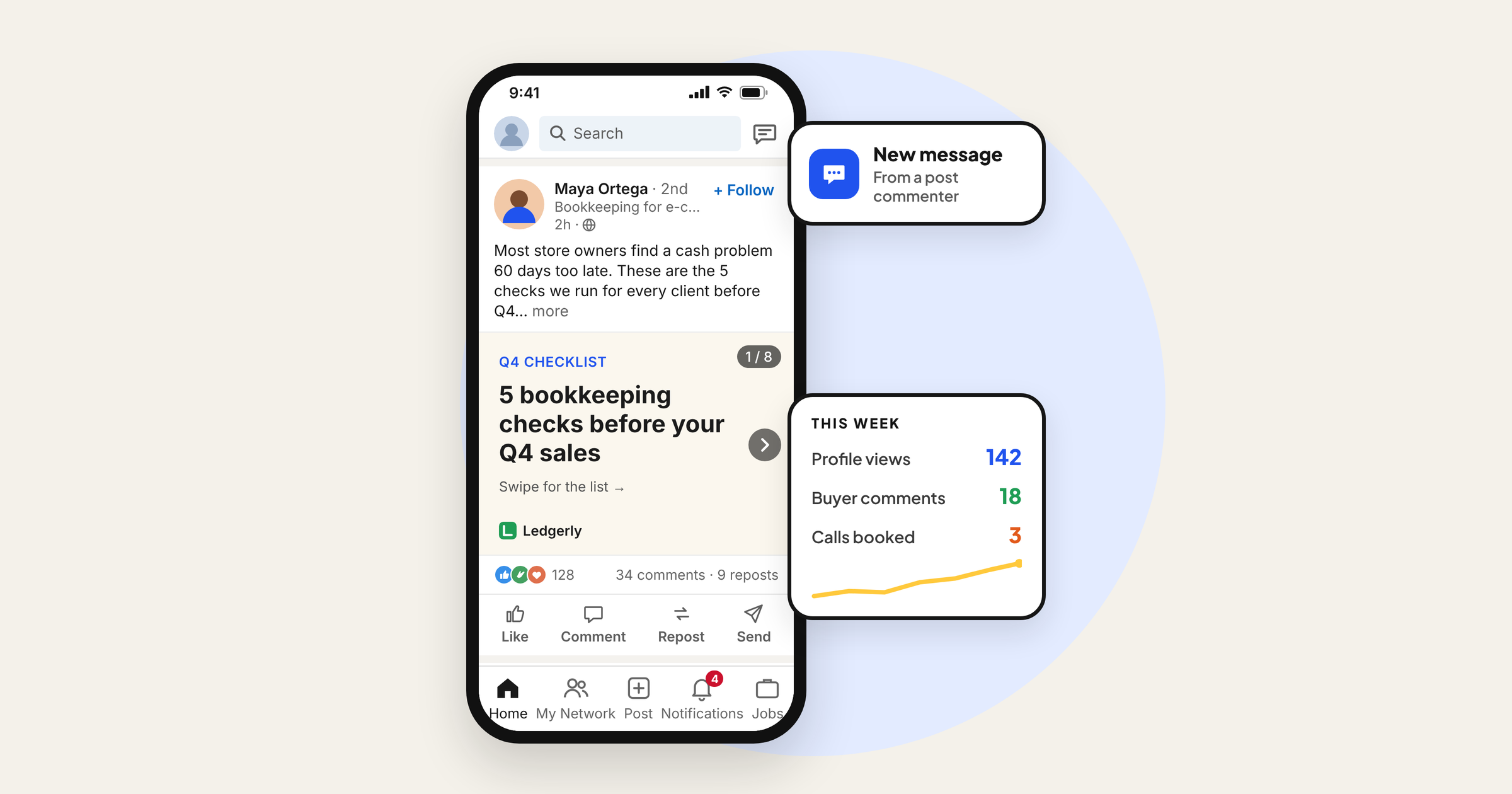
The founder posts three times a week about the numbers e-commerce owners get wrong: inventory accounting, sales tax across states, Shopify payout reconciliation. Each post ends with a question like "Which of these surprised you most?" The company page reposts the best of them as document carousels titled "5 bookkeeping checks before your Q4 sales". Twice a week the founder messages commenters who run online stores and offers a free 20-minute "books health check". Because the average client might be worth several thousand dollars a year, even one new client a month makes the time investment worthwhile. After 90 days, the firm sponsors its two best-performing founder posts with Thought Leader Ads targeted to owners and finance leads at retail and consumer goods companies with 11 to 200 employees.
Scenario 2: A seed-stage B2B SaaS startup selling scheduling software to clinic managers
Here the buyer is an operations or practice manager, not the founder's network of tech peers. The founder writes posts that teach clinic operations, such as reducing no-shows and building staff rotas, and shares short screen-recorded videos showing one feature solving one problem. The product page collects reviews from early customers. A monthly LinkedIn newsletter called something like "The Clinic Ops Letter" builds a subscriber list of the exact audience. When the startup later runs paid campaigns, it retargets newsletter readers and website visitors with a Lead Gen Form offering a free rota template, which converts better than a cold demo request. Our article on Meta ads for startups explains how to think about runway and stage when you add paid channels.
Scenario 3: A commercial fit-out contractor working with offices and retail spaces
Buyers are facility managers, property owners and architects. The owner posts project stories: the challenge, a progress photo, the finished space and what the team learned. Site team members are encouraged to share their own photos and tag the company page, which spreads visibility through their networks. The company page publishes a monthly "project of the month" document with drawings and finished photos (with the client's permission). The owner comments regularly on posts by local architects and property groups, which leads to introductions. Because projects are large and infrequent, success is measured in conversations with the right firms and invitations to tender, not post reactions.
When should a small business add LinkedIn ads to organic marketing?
A small business should add LinkedIn ads once it has a clear offer, at least a few organic posts that consistently earn good engagement, a website or form that converts, and a budget of roughly $1,000 to $1,500 a month it can test for 60 to 90 days. Ads then amplify proven messages instead of testing unproven ones expensively.
Thought Leader Ads: the natural bridge from organic to paid
Thought Leader Ads let your company page sponsor a post from a person, such as your founder or an employee, so it appears in the feed as their post rather than a brand ad. According to LinkedIn's Thought Leader Ads specifications, the ad creative is the person's post itself: you cannot add a headline, intro text or call to action button, and edits must come from the original author. Image and video posts can be promoted, while posts with multiple images, polls or documents cannot. LinkedIn expanded the format in 2024 so brands can also sponsor posts from members outside the company with their permission, as Search Engine Land reported, which opens the door to promoting a client or partner who talks about working with you.
To run one, the post author approves your request, you create a campaign in Campaign Manager, choose the Thought Leader Ad format and select the approved post. Because there is no button, put a clear next step in the post text itself, such as "Comment CHECKLIST and I will send it to you" or a link the author included in the post.
Retargeting and Lead Gen Forms
Install the LinkedIn Insight Tag on your website and create matched audiences of website visitors, video viewers and people who opened your Lead Gen Forms. LinkedIn needs a minimum audience size (300 members) before a retargeting audience can serve, which is why organic traffic and content views matter before you spend. Lead Gen Forms pre-fill a member's name, company and job title, which makes them convenient for buyers. Add one or two qualifying questions, such as company size or current tool, so your sales follow-up stays focused.
Example budget math for a first paid test
Here is an illustrative example, not a client result, for a consulting firm testing $1,200 a month:
| Item | Assumption | Result |
|---|---|---|
| Monthly budget | $1,200, split $700 Thought Leader Ads and $500 retargeting Lead Gen Form | 2 campaigns |
| Thought Leader Ads cost per 1,000 impressions | Assume $40 | About 17,500 impressions to the target audience |
| Retargeting cost per lead | Assume $90 for a checklist download | About 5 to 6 leads |
| Lead to discovery call rate | Assume 35% after personal follow-up | About 2 calls |
| Call to client rate | Assume 25% | About 1 client every 1 to 2 months |
| Break-even check | If a client is worth $8,000 in year one | One client covers more than six months of spend |
Your real costs depend on audience size, competition for your job titles and the quality of your creative. Run the numbers with your own client value and close rate before deciding whether LinkedIn ads make sense. The LinkedIn ads pillar guide covers objectives, bidding and targeting settings in full, and if you would rather have specialists run them, see our LinkedIn ads service.
How do you measure LinkedIn marketing results?
You measure LinkedIn marketing results by tracking a short chain of metrics from attention to revenue: relevant reach, profile visits, follower growth from your target audience, conversations started, qualified calls booked, clients won and revenue. Reactions alone are a vanity metric; the numbers that matter are the conversations and calls that come from the right buyers.
| Stage | Metric | Where to find it | What good looks like |
|---|---|---|---|
| Attention | Impressions and members reached | Post analytics on your profile and page | Steady growth among your target job titles and industries |
| Interest | Profile views and page visitors | Profile analytics, page Analytics > Visitors | Viewers match your buyer profile |
| Engagement | Comments from ideal buyers | Post comments and notifications | Thoughtful comments, not just "Great post" |
| Audience | Follower demographics | Page Analytics > Followers | Rising share of target industries and seniority |
| Conversations | New buyer conversations per week | Your own tracker or CRM | 10 to 20 a week for an active founder |
| Pipeline | Discovery calls booked from LinkedIn | CRM with a "LinkedIn" lead source | Increasing month on month |
| Revenue | Clients and revenue attributed | CRM and invoicing | Covers the time and ad spend invested |
Three practical setup tips make this measurable:
- Add UTM tags to every link you share from LinkedIn (for example utm_source=linkedin and utm_medium=organic or paid) so Google Analytics separates LinkedIn traffic.
- Ask "How did you hear about us?" on every contact form and discovery call. Many LinkedIn-influenced buyers come through Google or direct visits after seeing your posts, and analytics alone will miss them.
- Keep a simple conversation log. A spreadsheet or CRM column for "LinkedIn conversation started" lets you see which topics and posts actually lead to calls.
Review the numbers monthly, not daily. Single posts fluctuate; trends over four to eight weeks tell you what to do more of.
What LinkedIn marketing mistakes do small businesses make most often?
The most common LinkedIn marketing mistakes small businesses make are posting only from the company page, writing for peers instead of buyers, pitching in connection requests, posting inconsistently, relying on generic AI-written content and never following up on engagement. Each one quietly blocks results, and each one is easy to fix once you notice it.
- Company page only. The page alone rarely builds relationships. Shift most content to the founder and use the page for proof.
- Writing for your industry peers. An accountant writing about accounting standards impresses other accountants. Write about the business owner's problems instead.
- Pitch-slapping. Sending a sales pitch seconds after a connection request is accepted gets you ignored or reported. Start with curiosity.
- Bursts and silence. Posting daily for two weeks, then disappearing for a month, resets your progress. Two good posts a week for six months beats twenty in one month.
- Generic AI content. Posts that could have been written by anyone about anything do not build trust. Use AI to help structure your own stories and examples, not to replace them.
- Ignoring comments. Replying thoughtfully to comments within the first hours keeps the conversation going and shows readers you are approachable.
- Hashtag stuffing and engagement bait. Ten hashtags or "Comment YES if you agree" posts look desperate. Use one to three relevant hashtags or none.
- No path to the next step. If your profile, Featured section and posts never tell readers how to work with you, interested buyers simply leave.
- Automation tools that break the rules. Tools that auto-visit profiles or send mass messages violate LinkedIn's user agreement and can get your account restricted, which is a disaster for a founder-led business.
- Sharing confidential client details. Always get permission before naming clients or showing their work, and keep regulated details, such as patient or financial information, out of posts entirely.
What does a 30, 60 and 90 day LinkedIn marketing plan look like?
A 30, 60 and 90 day LinkedIn marketing plan for a small business moves from foundations to consistency to conversion: fix profiles and the company page in the first month, publish and comment on a steady rhythm in the second, and build conversation routines and test small paid promotion in the third. Review results at each milestone before investing more.
Days 1 to 30: Foundations
- Rewrite the founder headline, About and Featured section using the steps above.
- Complete the company page, connect all employees and invite relevant connections to follow.
- Define your ideal buyer by job title, industry and company size, and write down their top ten questions.
- Publish two posts a week and comment on five buyer posts on each posting day.
- Set up UTM links, the Insight Tag and a simple conversation tracker.
Days 31 to 60: Consistency
- Increase to three posts a week across the four content pillars.
- Turn your two best posts into a document carousel and a short video.
- Start the warm conversation routine twice a week.
- Launch a newsletter if your audience wants deeper content.
- Review analytics at day 60: which topics earned buyer comments and profile visits?
Days 61 to 90: Conversion and amplification
- Create a useful lead magnet or offer, such as a checklist or free review, and promote it in posts and your Featured section.
- Test Thought Leader Ads on your two strongest posts with a small budget.
- Build retargeting audiences from website visitors and video viewers.
- Measure conversations, calls and clients, and decide whether to scale organic effort, ads or both.
Your weekly LinkedIn audit checklist
| Check | Done? |
|---|---|
| Published two to three posts focused on buyer problems | |
| Replied to every comment within 24 hours | |
| Left at least ten thoughtful comments on buyers' and partners' posts | |
| Messaged new commenters and connections who fit your buyer profile | |
| Logged conversations and calls in your tracker | |
| Checked follower and visitor demographics for fit | |
| Noted the best and worst post of the week and why | |
| Updated the Featured section if you have a newer, better offer |
Want help turning LinkedIn into a steady source of clients?
Digilabss helps US and Canadian small businesses turn LinkedIn into a predictable channel by combining founder-led content, company page optimisation and well-targeted LinkedIn ads. Before writing a single post or running a campaign, we study your brand, your buyers and the psychology behind how they choose a provider, so every message speaks to what your customers care about.
If you would like a second pair of eyes on your current LinkedIn presence, from the founder profile and company page to the content and any ads you are running, book a free LinkedIn marketing audit. We will show you what is holding your results back and the first three changes we would make.
Frequently asked questions
Is LinkedIn good for small business marketing?
Yes, LinkedIn is good for small businesses that sell to other businesses or sell high-value services to professionals. It lets you reach people by job title, industry and company size. It is usually a weaker choice for low-priced consumer products, where Instagram, Facebook and Google tend to reach buyers more cheaply.
How often should a small business post on LinkedIn?
Aim for two to four posts a week from the founder's profile and one to three a week from the company page. LinkedIn says companies that post weekly see about twice the engagement, so weekly is the minimum. Consistency over months matters more than posting daily for a short burst.
Should a small business use a LinkedIn company page or a personal profile?
Use both, but let the founder's personal profile carry most of the content. People engage more with people than with logos, so personal posts usually reach more buyers. The company page proves you are a real, active business and gives you detailed analytics and access to every ad format.
How much does LinkedIn marketing cost for a small business?
Organic LinkedIn marketing costs mainly time, roughly two hours a week for a founder-led routine. Paid LinkedIn ads are optional; a realistic first test for a small business is about $1,000 to $1,500 a month for 60 to 90 days. Work out your budget from what one client is worth to you.
How long does LinkedIn marketing take to work?
Expect first inbound conversations within 30 to 90 days of consistent posting and commenting, and meaningful pipeline in three to six months. Organic LinkedIn compounds slowly. If you need leads immediately, combine it with paid channels such as Google search ads or LinkedIn Thought Leader Ads.
Can I use AI to write LinkedIn posts for my business?
You can use AI to help outline and edit posts, but the stories, opinions and examples should be your own. Generic AI-written posts rarely build trust with buyers and are easy to spot. A good workflow is to record your thoughts, let AI structure them, then edit in your own voice.